Field Service Asset Tracking Software: How to Track Equipment and Tools
A technician leaves for a job with a thermal camera, a torque wrench set and a company laptop. Three days later nobody can say who has them, and the next job is delayed. This is the everyday cost of poor equipment tracking.
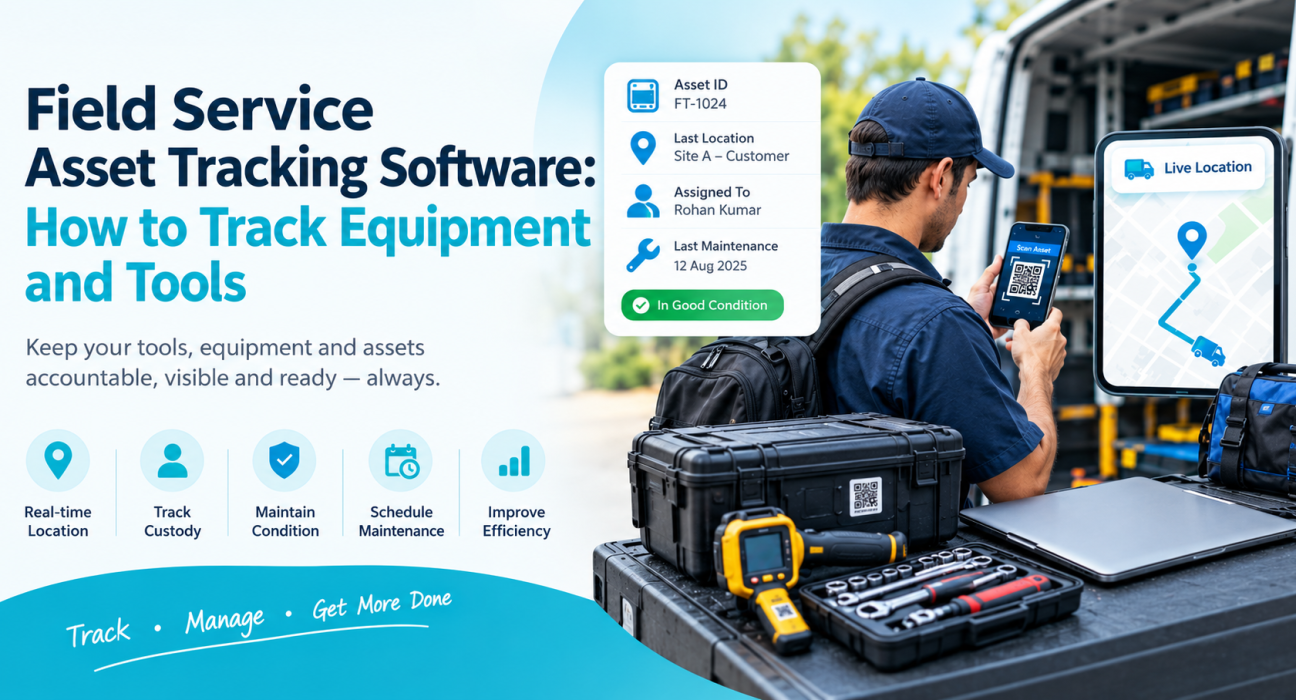
Field service asset tracking software gives you a live record of where each piece of equipment is, who holds it and what condition it is in. This guide explains how to track field service equipment and tools, which methods work, what to look for in software, and how field force management tools support the process.
What Is Field Service Asset Tracking Software?
Field service asset tracking software is a system that records the location, custodian, condition and maintenance history of equipment and tools used by mobile teams. It replaces spreadsheets and memory with a single record that technicians and managers can both update.
Most systems combine three things:
- Identification: a unique ID for each item, usually a QR code, barcode or RFID tag.
- Location and custody: who has the item, and where it was last seen.
- History: check-outs, returns, inspections, repairs and servicing.
Some businesses also use GPS trackers for high-value items such as generators, vehicles or heavy machinery.
Why Tracking Field Equipment and Tools Matters
Tools and equipment are working capital. When they go missing or fail, the damage goes beyond replacement cost.
- Delayed jobs: a technician without the right tool cannot finish the visit, and a repeat trip follows.
- Duplicate purchases: teams buy new items because they cannot find existing ones.
- Weak accountability: without custody records, nobody owns a loss.
- Unplanned downtime: equipment that misses servicing fails mid-job.
- Compliance gaps: calibrated or safety-critical instruments need documented inspection.
These problems are worse in field service because assets are spread across vehicles, homes, customer sites and branch stores.
Which Assets Should You Track?
Not everything needs the same level of control. Group assets by value and risk first.
| Asset Category | Examples | Suggested Tracking Level |
|---|---|---|
| High-value equipment | Generators, diagnostic machines, test instruments | Individual ID, custody log, maintenance schedule, GPS if justified |
| Calibrated or safety-critical tools | Meters, torque tools, safety gear | Individual ID, inspection records, due-date alerts |
| Shared hand tools | Drill sets, ladders, wrenches | Individual or kit-level ID, check-out and return log |
| Consumables and spares | Cables, filters, fittings | Quantity-based stock tracking |
| Customer-site assets | Installed units under AMC | Asset ID linked to customer, site and service history |
This approach avoids over-tagging cheap items while protecting the ones that cost you most.
How to Track Field Service Equipment and Tools: Step by Step
- Build an asset register. List every item with a unique ID, description, purchase date, value and owner.
- Tag each asset. Attach a QR code, barcode or RFID tag so items can be identified in seconds.
- Assign custody. Record who holds each item. Treat every handover as a logged event.
- Standardise check-out and return. Require a scan, a condition note and a photo when tools leave or return.
- Link assets to jobs. Record which equipment was used on which work order or customer visit.
- Schedule inspections and maintenance. Set due dates for servicing, calibration and safety checks.
- Audit regularly. Run periodic physical counts and compare them with the register.
- Review the data. Look for items that are repeatedly lost, damaged or idle.
Start with your top 20% of assets by value. You can extend to the rest once the habit sticks.
Asset Tracking Methods Compared
Each method has trade-offs. Many teams combine two.
| Method | How It Works | Best For | Limitation |
|---|---|---|---|
| Spreadsheets | Manual entries | Very small teams | Goes stale quickly, no proof |
| Barcode / QR codes | Scan with a phone | Tools, kits, equipment | Needs a scan; shows last scan, not live location |
| RFID tags | Read by a reader at close range | Bulk stores, warehouses | Needs reader hardware |
| GPS trackers | Continuous location | Vehicles, machinery, high-value items | Hardware and subscription cost |
| Bluetooth tags | Short-range proximity signals | Small, valuable tools | Limited range, needs nearby phones or gateways |
For most service teams, QR or barcode scanning on a smartphone is the most practical starting point because technicians already carry the device.
Key Features to Look for in Field Service Asset Tracking Software
When you evaluate tools, check for these capabilities:
- Mobile-first scanning: technicians should check items in and out from a phone.
- Offline capability: field work often happens where signal is weak.
- Custody history: a complete trail of who held an item and when.
- Maintenance scheduling and alerts: reminders for servicing and calibration.
- Work order linkage: equipment tied to jobs and customer sites.
- Photo and condition capture: proof of state at handover.
- Reports and dashboards: utilisation, losses and overdue returns.
- Integrations: connection with your ERP, CRM, accounting or HR systems.
- Role-based access: clear permissions for technicians, store managers and owners.
Do You Need a Standalone Tool or an Integrated Platform?
A standalone asset management system works when your main problem is inventory control. An integrated field platform works when your main problem is managing people, visits and proof of work, with equipment as one part. Many businesses use both, connected by an API.
Best Practices for Equipment and Tool Tracking
Make the process fast. If check-out takes more than a minute, technicians will skip it.
Assign named custodians. Shared ownership means no ownership. Every item should have one responsible person at any time.
Use kits for common job types. A “AC installation kit” or “meter testing kit” can be issued and returned as one unit, which cuts scanning effort.
Capture condition at handover. A quick photo at issue and return settles damage disputes.
Tie tracking to accountability. Link missing-item recovery or deductions to a written policy that staff have agreed to.
Review exceptions weekly. Overdue returns, items not scanned for 30 days and failed audits show where the process is breaking.
How Field Force Management Software Supports Equipment Tracking
Equipment moves because people move. That is why field force management software helps even when it is not a dedicated asset register. It tracks the technician, the visit and the proof of work that surround every tool.
Businesses looking to simplify these processes can use field force management software such as FieldExecutives. Based on the platform’s published features, it supports equipment control in these ways:
- Custom forms and workflows: build equipment issue, return and inspection forms with the fields your team needs, without writing code.
- Proof capture: require photos, signatures or OTP confirmation before a job or handover is closed.
- GPS and geofencing: confirm that a technician reached the site and see where each team member is on a live map.
- Task and checklist management: assign jobs with checklists, for example “carry and verify meter calibration before visit”.
- SLA monitoring: see which jobs are at risk, so tool shortages show up as delays you can act on.
- Offline-first mobile app: forms and photos sync when connectivity returns.
- Audit trail: actions are logged, which supports accountability.
- API integrations: connect with ERP, CRM, accounting or HR systems, so a dedicated asset register can feed or receive data.
FieldExecutives serves field service and repair teams running AMC, installation and SLA-based jobs, where tools and equipment are central to every visit.
A Practical Example Workflow
Consider a service company that issues test instruments to technicians each morning.
- The store manager records the issue through a custom form with a condition photo.
- The technician receives the day’s jobs with a checklist item to confirm instrument calibration.
- At each customer site, the technician completes the job and captures proof of work.
- In the evening, the technician submits a return form with a photo and any damage notes.
- The manager reviews exceptions: missing returns, damage notes, delayed jobs.
This is a workflow built from forms, tasks and proof capture. For barcode-level inventory counts or tag-based asset registers, pair it with a dedicated asset management tool through integration.
Common Mistakes to Avoid
- Tagging everything on day one instead of starting with high-value assets.
- Relying on technicians to remember to log items without a simple process.
- Tracking location but not condition or maintenance.
- Skipping audits because the system “should be accurate”.
- Choosing software on features alone without a pilot with real technicians.
How to Choose the Right Solution
Ask these questions before you buy:
- Which assets cause the most loss or downtime today?
- Do we need location tracking, custody records, maintenance scheduling, or all three?
- Will technicians actually use it on a phone in the field?
- Does it work offline?
- Can it connect with the systems we already use?
- What does it cost for our team size, including hardware?
Run a two-to-four-week pilot with one team before rolling out company-wide.
Conclusion
Tracking field equipment and tools comes down to a clear register, one named custodian per item, a fast check-out and return habit, and regular audits. The right field service asset tracking software makes that habit easy for technicians and visible to managers.
If your biggest gaps are around people, visits and proof of work, an integrated platform can close them quickly. FieldExecutives helps you see your field team live, capture proof on every visit, and build custom forms for handover and inspection, while connecting through APIs to the tools you already use.