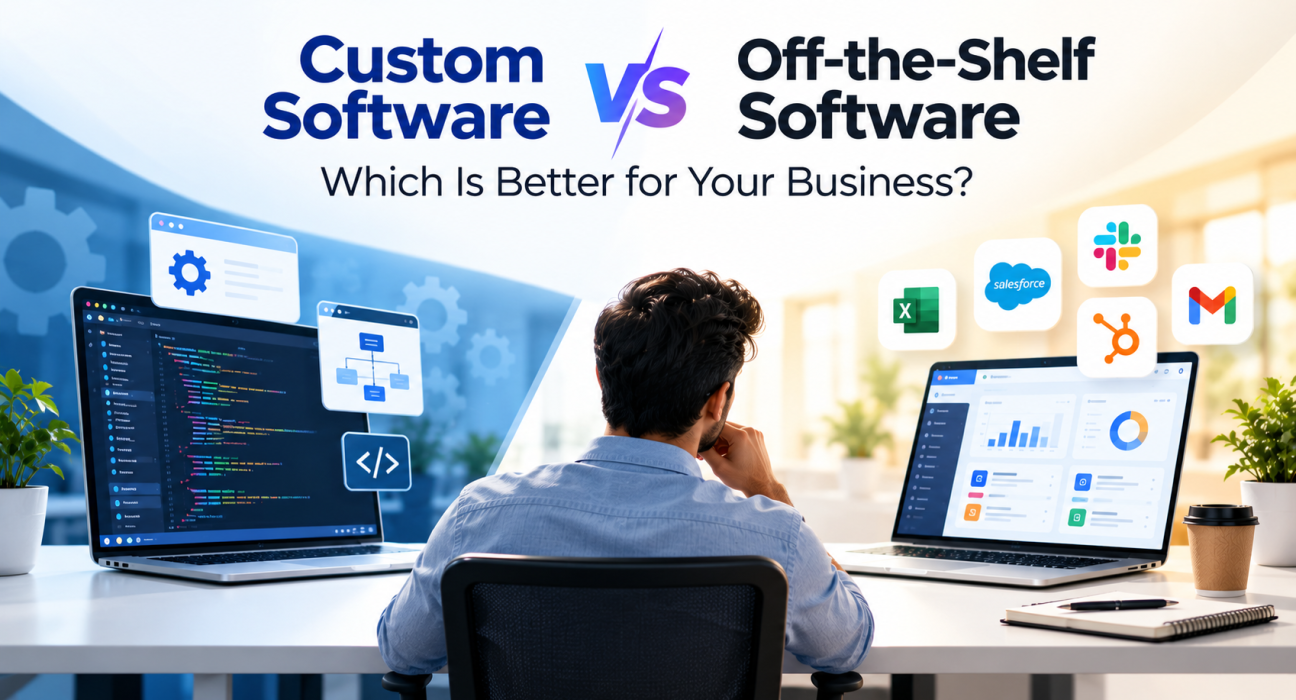
If you are weighing custom software vs off-the-shelf software, here is the short answer: neither is better in every case. Off-the-shelf software is usually the smarter choice when your needs are common, your budget is tight, and you need to get started quickly. Custom software is usually the better choice when your workflows are unique, your software is part of what sets you apart, or you have outgrown tools that force you to work around their limits.
The real challenge is knowing which side of that line your business falls on. Choose a ready-made tool too early and you may end up patching gaps with spreadsheets and manual work. Commission custom development too early and you may spend months and budget on something a subscription could have solved.
This guide breaks down how the two options differ, when each one makes sense, what to compare beyond the price tag, and how to find the right development partner if you decide to build.
What Is Off-the-Shelf Software?
Off-the-shelf software (also called packaged, ready-made, or commercial software) is a product built for a broad audience and sold or licensed to many businesses. You buy or subscribe, configure a few settings, and start using it.
Common examples include accounting tools, CRMs, project management platforms, email marketing software, and e-commerce platforms. Most are now delivered as SaaS (software as a service), so there is nothing to install or host yourself.
Typical strengths:
- Fast to deploy, often within days
- Lower upfront cost
- Proven by many other users
- Vendor handles updates, security patches, and hosting
Typical limitations:
- Features are designed for the average customer, not specifically for you
- Customization is limited to what the vendor allows
- You depend on the vendor’s roadmap, pricing, and continued support
- Recurring fees can add up as your team grows
What Is Custom Software?
Custom software (also called bespoke or tailor-made software) is built specifically for one organization’s requirements. A development team works with you to define the problem, design the solution, build it, and maintain it over time.
It can be a customer portal, an internal operations system, a mobile app, a logistics platform, or an integration layer that connects the systems you already use.
Typical strengths:
- Built around your actual workflows
- Full control over features, design, and data
- Integrates with your existing systems the way you need
- Can become a competitive advantage that rivals cannot simply buy
Typical limitations:
- Higher upfront investment
- Longer time to launch
- Requires clear requirements and active involvement from your team
- You are responsible for ongoing maintenance, either in-house or through a partner
Custom Software vs Off-the-Shelf Software: Quick Comparison
| Factor | Off-the-Shelf Software | Custom Software |
|---|---|---|
| Upfront cost | Lower | Higher |
| Time to launch | Days to weeks | Weeks to months, depending on scope |
| Fit with your processes | Partial; you adapt to the tool | Close; the tool adapts to you |
| Customization | Limited to vendor options | Extensive |
| Scalability | Depends on vendor plans and limits | Designed around your growth plans |
| Integration | Works with popular tools; limited for niche systems | Built to connect with your specific stack |
| Maintenance | Handled by the vendor | Handled by you or a development partner |
| Ownership and control | Vendor controls the roadmap | You control the roadmap |
| Competitive differentiation | Low, since competitors can use the same tool | High, if the software supports a unique process |
| Best for | Standard business needs | Unique workflows and strategic systems |
When Is Off-the-Shelf Software the Better Choice?
Off-the-shelf software is usually the better choice when the problem you are solving is common and does not set your business apart.
Consider ready-made software if:
- The process is standard. Payroll, invoicing, email marketing, and basic HR tasks work much the same way across most companies.
- You need to move quickly. A startup testing a market or a small team that needs a tool next week rarely benefits from a long build.
- Budget is limited. Subscription pricing spreads the cost over time and avoids a large upfront commitment.
- You lack technical capacity. If you have no in-house developers or product owner, a managed product removes much of the burden.
- A well-established product already does 80 to 90 percent of what you need. Paying to build the remaining few percent is rarely worth it.
Example: A 15-person marketing agency needs project tracking and time logging. Several mature tools already handle this well. Building a custom system would cost more and take longer, with little benefit.
When Is Custom Software the Better Choice?
Custom software becomes attractive when the cost of working around a generic tool is higher than the cost of building something that fits.
Consider custom development if:
- Your workflow is a competitive advantage. If how you price, schedule, match, or deliver is what customers choose you for, forcing it into a generic template can weaken it.
- You are stitching together too many tools. When employees copy data between five systems every day, a unified custom platform can remove that friction.
- You have special integration needs. Legacy systems, industry-specific hardware, or partner platforms may not be supported by any packaged product.
- Compliance or security requirements are strict. Some industries need specific data handling, audit trails, or hosting arrangements that standard products cannot guarantee.
- You expect to scale in unusual ways. Per-user licensing can become expensive for large teams, and some products slow down or hit limits at high volumes.
- You want to own the product. If the software is the product, such as a marketplace, a SaaS tool, or a customer-facing app, building is often the only real option.
Example: A regional logistics company uses a custom-built dispatch system that matches its routes, driver rules, and customer commitments. A generic fleet tool covers part of this, but the company’s scheduling logic is exactly what makes its service reliable.
How Do the Costs Really Compare?
Price is often the first thing buyers compare, but it can be misleading. The better question is: what will this cost over the next three to five years?
When comparing custom software vs off-the-shelf software, look at total cost of ownership:
For off-the-shelf software, include:
- Subscription or license fees, now and as your team grows
- Setup, configuration, and data migration
- Add-ons, extra modules, or paid integrations
- Training time
- The cost of manual workarounds for missing features
- The cost of switching vendors later
For custom software, include:
- Discovery, design, development, and testing
- Hosting and infrastructure
- Ongoing maintenance, bug fixes, and security updates
- Future feature development
- Internal time spent on requirements and feedback
- Documentation and knowledge transfer
Custom software usually costs more at the start. Off-the-shelf software can cost more over time if you need many users, many add-ons, or heavy workarounds. Neither is automatically cheaper, so run the numbers for your situation. Because pricing varies widely by scope, location, and team, request quotes from several providers rather than relying on rough averages.
Is There a Middle Path? The Hybrid Approach
You do not always have to choose one extreme. Many businesses combine both approaches:
- Configure and extend. Start with an off-the-shelf platform and add custom integrations, plugins, or workflows around it.
- Buy the commodity, build the core. Use standard tools for accounting, email, and HR, and build custom software only for the process that differentiates you.
- Start ready-made, build later. Launch with an existing product to validate your process, then commission custom software once you understand your real requirements.
For many small and mid-sized businesses, the hybrid route reduces risk while still leaving room to grow.
How to Decide: A Practical Checklist
Use these steps to make the decision with confidence.
- Define the problem in one sentence. If you cannot, you are not ready to choose a solution yet.
- List your must-have requirements. Separate what is essential from what is merely nice to have.
- Shortlist two or three existing products. Test them with real scenarios, not just demos.
- Score the gaps. For each product, note what is missing and what the workaround would cost in time or money.
- Check integration needs. Confirm whether the product connects to your existing systems.
- Estimate a three-to-five-year cost. Compare subscription totals against a realistic custom build and maintenance estimate.
- Assess strategic value. Ask whether this software helps you stand out or simply keeps operations running.
- Check your capacity. Do you have, or can you hire, the people to manage a custom project?
If off-the-shelf options cover most of your needs and the process is not strategic, buy. If the gaps are costly and the process is central to your business, building deserves serious consideration.
Common Mistakes to Avoid
- Building what you could buy. Custom development for generic needs wastes budget.
- Buying without testing. A polished demo does not show how a tool handles your real data and edge cases.
- Ignoring maintenance. Custom software needs ongoing support, and ready-made software needs administration.
- Starting without clear requirements. Vague scope is a common cause of delays and cost overruns in custom projects.
- Focusing only on price. The cheapest option on day one is not always the cheapest over several years.
- Overlooking vendor risk. Check what happens to your data and workflows if a vendor changes pricing or shuts down a feature.
How to Find the Right Partner for Custom Software Development
If you decide custom software is the right path, the development partner you choose will affect the outcome as much as the technology does.
When evaluating software development companies, look at:
- Relevant experience. Have they built similar products or worked in your industry?
- Process and communication. How do they handle requirements, updates, testing, and changes?
- Technical fit. Do their skills match the stack and platforms you need?
- Post-launch support. Who maintains the software after release?
- Transparency. Are timelines, costs, and assumptions explained clearly?
- Client feedback. Do reviews and references support their claims?
Business directories can help you build a shortlist. On GoFirms, you can research and compare software development companies and other technology service providers, then review their profiles side by side before reaching out. Whatever source you use, verify credentials and ask for references and sample work before you commit.
Frequently Asked Questions
What is the main difference between custom software and off-the-shelf software?
Off-the-shelf software is built for a broad audience and sold ready to use, so you adapt your processes to it. Custom software is built specifically for your organization, so it is designed around your workflows. The trade-off is generally speed and lower upfront cost with off-the-shelf, versus fit and control with custom.
Is custom software more expensive than off-the-shelf software?
Custom software usually costs more upfront because it requires design, development, and testing. Off-the-shelf software typically has lower initial costs but may add up through subscriptions, extra modules, and workarounds. The right comparison is total cost of ownership over several years, not just the first invoice.
When should a business choose custom software?
Choose custom software when your processes are unique, when you are working around the limits of generic tools, when strict compliance or integration needs exist, or when the software itself supports your competitive advantage. If your needs are standard and a proven product covers them, ready-made software is usually the more practical choice.
Can I start with off-the-shelf software and switch to custom later?
Yes. Many businesses begin with an existing product to validate their process and learn their true requirements. Later, they build custom software or extensions for the areas where the tool falls short. Plan for data export and migration early so a future switch is smoother.
How long does it take to build custom software?
It depends on scope, complexity, integrations, and team size. A small internal tool can take weeks, while a large platform can take many months or longer. Clear requirements, a phased roadmap, and quick feedback cycles help keep timelines realistic. Ask potential partners for an estimate based on your specific scope.
Is a hybrid approach to custom and off-the-shelf software a good idea?
Often, yes. A hybrid approach uses ready-made software for standard functions and custom development for the processes that differentiate your business or the integrations that connect everything. It can reduce cost and risk compared with building everything from scratch while still addressing the gaps in generic tools.
How do I find a reliable custom software development company?
Start by defining your requirements, then shortlist providers with relevant experience. Compare their process, communication, technical skills, support terms, and client feedback. Platforms like GoFirms can help you research and compare technology service providers, and you should always confirm details through direct conversations and references.
Conclusion
The custom software vs off-the-shelf software decision comes down to fit, cost over time, and strategic value. Off-the-shelf software is typically the right call for standard needs, tight timelines, and limited budgets. Custom software makes sense when your processes are distinctive, your integrations are complex, or the software itself is part of your competitive edge. Many businesses land in the middle, buying common tools and building only what truly sets them apart.
Whichever direction you take, define your requirements first, compare real costs over several years, and choose your vendor or development partner carefully. If you are leaning toward a custom build, you can research and compare software development companies on GoFirms to shortlist partners that match your project.