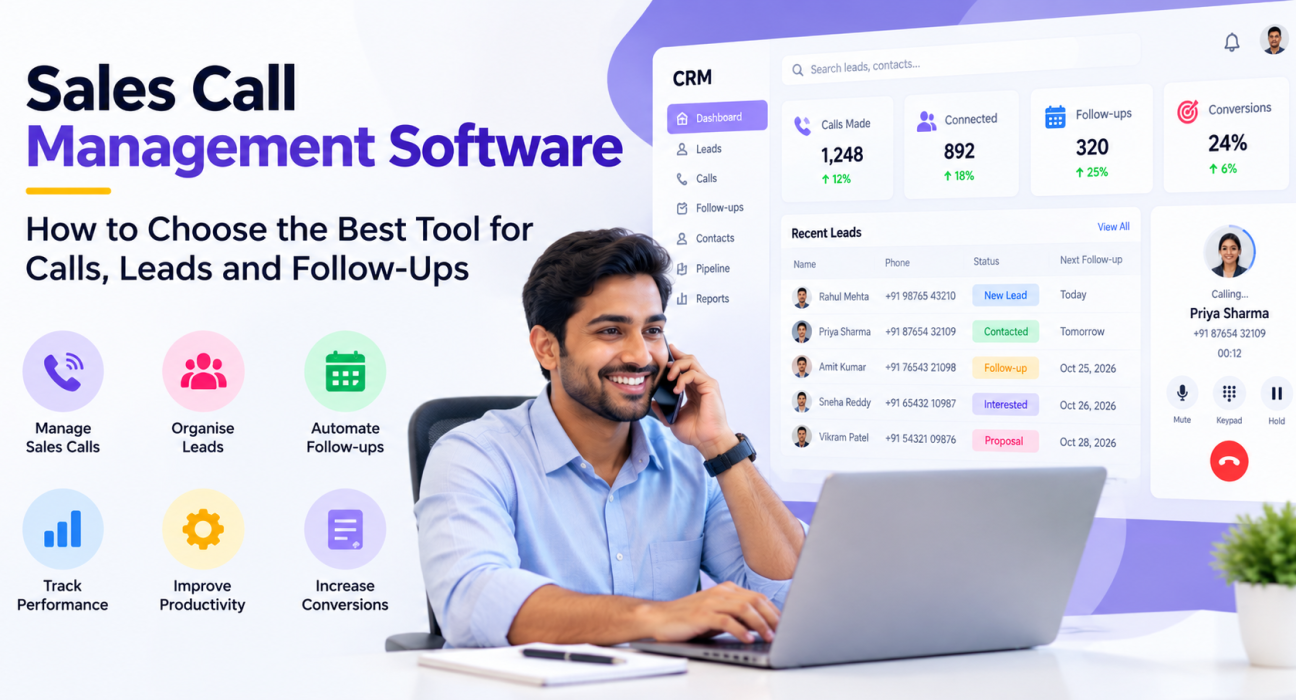
Sales Call Management Software: How to Choose the Best Tool for Calls, Leads and Follow-Ups
Most sales teams do not lose deals on the call itself. They lose them around it: the lead nobody called for two days, the callback that was promised but never scheduled, the note that stayed in an agent’s phone. When calls, leads and follow-ups live in different places, something always slips.
This is the problem that sales call management software built for calling teams tries to solve. It keeps the call, the lead and the next step in one system. This guide explains what the software does, which features matter, how to compare options and which mistakes to avoid.
What Is Sales Call Management Software?
Sales call management software helps sales teams plan, place, record and track calls, and links every call to the lead it belongs to. Good tools also assign leads to agents, schedule follow-ups and report on activity. In many Indian sales teams, this software appears as a telecalling CRM that combines these functions.
Sales Call Management Software vs Phone Systems, CRMs and Dialers
These tools overlap, which makes buying confusing. Here is how they usually differ:
| Tool type | Main job | Common gap for calling teams |
|---|---|---|
| Business phone or VoIP system | Connects calls | Little lead context or follow-up tracking |
| General CRM | Stores contacts and deals | Calls are often logged manually |
| Standalone dialer | Dials faster | No lead pipeline or follow-up history |
| Spreadsheet plus WhatsApp | Free, familiar start | Breaks down once several agents share leads |
| Sales call management software | Handles calls, leads and follow-ups together | May be less suited to complex enterprise setups or heavy inbound routing |
The right category depends on how your team sells. If most revenue comes from outbound calls to leads, a call-focused tool usually fits best.
Why Calls, Leads and Follow-Ups Belong in One System
Managing the three separately creates predictable problems:
- Agents cannot see what was said on the last call
- Two agents call the same lead
- Callbacks depend on personal reminders
- Managers cannot tell which source or agent produces results
A single system fixes these by keeping one record per lead, with every call and next step attached to it.
Features to Look for in Sales Call Management Software
It helps to check features against the lifecycle of a lead: before the call, during it, after it and across the team.
Before the Call
- Lead capture and import. Leads from ads, portals and forms should flow in automatically, and CSV or Excel files should import cleanly.
- De-duplication. The same number should not appear twice.
- Assignment rules. Leads should reach agents by round-robin, language or fixed owner, ideally only agents who are on shift.
- Scoring and priority. Hot, Warm and Cold labels help agents start with the best leads.
During the Call
- Auto dialer. Agents should not type numbers or wait between calls.
- Lead history on screen. Notes, earlier calls and source should be visible before the agent speaks.
- Call scripts. Scripts help new agents stay consistent.
- Mobile access. Field and remote agents need the same workflow on their phones.
After the Call
- Outcome logging. One tap to record what happened beats typing long notes.
- Follow-up scheduling. Reminders and overdue alerts keep callbacks from being forgotten.
- Messaging. Sending a WhatsApp message, SMS or email from the same record keeps history together.
- Call recording. Recordings help in coaching and dispute resolution when handled securely.
Across the Team
- Pipeline stages. Custom stages and deal values show where revenue is stuck.
- Reporting. Look for calls made, connection rate, talk time, follow-up completion and conversion by agent and source.
- Roles and permissions. Agents should see only what they need.
- Compliance controls. Do Not Call (DNC) handling and calling-hours limits protect your business.
Which Type of Tool Fits Your Team?
- Outbound sales or telecalling teams: choose a telecalling CRM where the dialer, lead record and follow-ups are one workflow.
- Inbound-heavy support centres: choose a tool built for call queues, routing and ticketing.
- Large enterprises: a full enterprise CRM with a separate telephony system may be better, though it takes longer to set up.
- Very small teams: a well-organised sheet can work briefly, but move before the data grows.
How to Evaluate Sales Call Management Software
- List your must-haves. Write down your five biggest daily problems before watching any demo.
- Shortlist two or three tools. More than that makes comparison harder.
- Test with a real lead list. Import actual data and see how duplicates and formats behave.
- Test on a phone. Ask an agent, not a manager, to try the mobile workflow.
- Check reports. Confirm you can see calls, outcomes and follow-ups by agent without manual work.
- Check cost clarity. Ask what is included in each plan, and whether adding agents changes the price.
Our guide on how to choose the best telecalling CRM goes deeper on selection criteria.
Hypothetical Examples
These are illustrations, not case studies.
Real estate. A developer receives enquiries from several portals. Without a central system, two agents may call the same buyer. A real estate CRM with automatic assignment and one lead timeline reduces that overlap.
Insurance. An agency manages new leads and renewals. Storing call history and renewal reminders on each record helps agents start calls with context. See how an insurance CRM fits this workflow.
B2B sales. A small team calls business prospects over weeks. Pipeline stages and follow-up reminders matter more than call volume. A B2B CRM keeps long conversations organised.
Common Mistakes to Avoid
- Buying on features alone. A long feature list is useless if agents find it hard to use.
- Skipping the trial. Test with your own data and your own agents.
- Ignoring lead sources. If leads still need manual copying, you lose much of the benefit.
- Too many mandatory fields. Long forms slow every call and encourage junk entries.
- Tracking only call volume. Outcomes and follow-up completion matter more.
- Forgetting compliance. Respect DNC preferences and permitted calling hours.
How TeleCallingCRM Can Help
TeleCallingCRM is a telecalling CRM for outbound sales teams in India. Based on its website, it includes:
- A smart auto dialer with automatic call-duration capture and one-tap outcome logging
- Lead import with de-duplication, scoring, tags and priority levels
- Assignment rules, including round-robin and language matching
- Follow-up scheduling with reminders and overdue alerts
- Custom pipeline stages with deal values and forecasting
- Lead integrations with sources such as Facebook and Instagram Lead Ads, Google Ads, 99acres, MagicBricks and JustDial (see the integration guides)
- SMS, email and WhatsApp messaging on one timeline
- Dashboards, a live war room, leaderboards and reports with CSV, Excel and PDF export
- Role-based access, DNC enforcement and a calling-hours window
- Android and iOS apps for agents
It also lists optional AI call analysis that provides summaries, sentiment and quality scores. The website describes flat plans by team size and a 3-day free trial, so check the pricing page for current details.
Its focus is outbound telecalling. If your team handles mostly inbound queues, confirm the capabilities in a demo first.
Frequently Asked Questions
What is sales call management software?
It is software that helps sales teams place, record and track calls, link them to lead records, and schedule follow-ups. Many tools also assign leads and report on agent activity. In India, it often appears as a telecalling CRM.
What is the best software for managing sales calls, leads and follow-ups?
There is no single best option. Outbound teams usually do well with a telecalling CRM that combines a dialer, lead records and reminders. Inbound teams need routing features. Shortlist two or three tools and test them with real leads.
Is sales call management software the same as a CRM?
Not exactly. A CRM stores customer and deal data. Sales call management software focuses on the calling workflow, including dialing, logging and follow-ups. Many telecalling CRMs combine both, so the line is often blurred.
Do I need an auto dialer?
It helps outbound teams that make many calls a day, because agents spend less time dialing and waiting. If you make few calls or each call needs long preparation, a dialer matters less.
How do I stop leads from slipping through follow-ups?
Schedule a callback at the end of every call, use reminders and overdue alerts, and review overdue lists daily. Avoid keeping follow-up dates in personal notes or chats.
Can small businesses use sales call management software?
Yes. Small teams often lose time to spreadsheets, duplicate calls and forgotten callbacks. A simple tool with lead assignment, reminders and a basic dashboard can help even a few agents.
Does TeleCallingCRM offer a free trial?
According to its website, yes: a 3-day free trial with no credit card required. Confirm the latest terms on the website before signing up.
Conclusion
The best sales call management software is the one your agents will use after every call. Look for clean lead capture, a dialer that saves time, history on every record, reliable follow-ups and reports a manager can trust. Then test it with your own data before deciding.
If your team sells mainly through outbound calls, sales calling software designed for telecalling teams is a sensible place to begin.