

Sales Calling Software: Features, Benefits & Best Practices
Most sales teams don’t lose deals because their product is weak. They lose deals because agents don’t call leads on time, telecallers forget follow-ups, and nobody knows which calls actually moved a deal forward. Sales calling software exists to close exactly this gap.
Sales teams evaluating sales calling software usually ask the same three questions: what does it actually do, which features matter, and is it worth switching from spreadsheets or a basic CRM. This guide answers all three, drawing on how outbound sales and telecalling teams actually use these tools.
What Is Sales Calling Software?
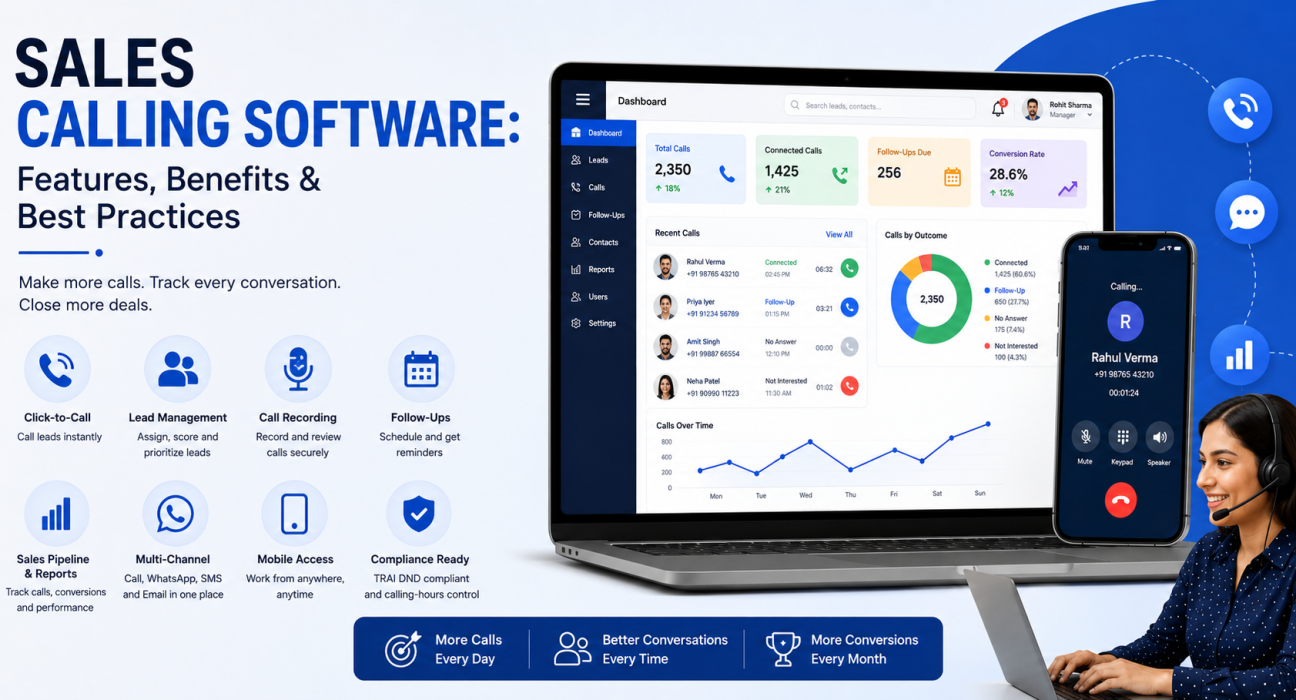
Sales calling software is a tool that helps sales teams make, manage, track and follow up on outbound calls in one place. It typically combines a dialer, lead management, call recording or tracking, and reporting, so teams don’t have to juggle a phone, a spreadsheet and a notebook separately.
Unlike a phone system alone, sales calling software connects every call to a lead record. That means the call history, the outcome, the next follow-up date and the deal stage all sit in one view instead of spreading across separate tools.
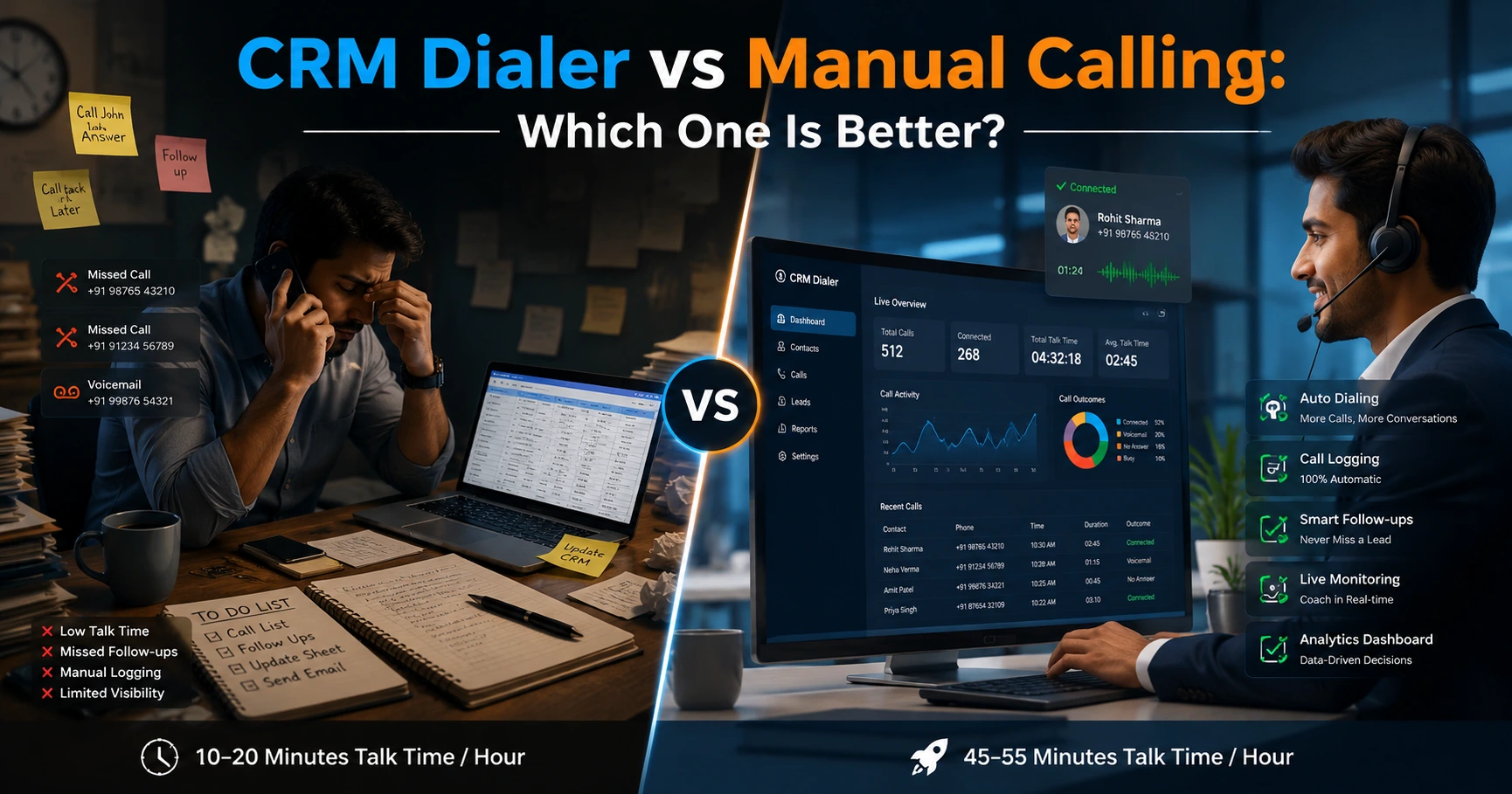
Why Manual Calling Breaks Down as Teams Grow
A single telecaller can manage a call list in a spreadsheet for a while. Problems usually start once a team crosses a handful of agents or a few hundred active leads.
Common breaking points include:
- Leads sit uncalled. Without automatic assignment, new leads can sit for hours before anyone picks them up, and speed to first contact matters a lot in sales.
- Agents miss follow-ups. A telecaller managing 100+ leads across stages cannot reliably remember who to call back and when.
- Managers lack visibility. They cannot tell how many calls agents made or which lead source is converting, without asking each telecaller manually.
- Duplicate and wasted calls happen. Two agents call the same lead, or someone calls a customer again after that customer already said no, which damages trust.
- No record of what was said. Without notes tied to the lead, a new agent taking over has no context on the conversation history.
Sales calling software exists to solve exactly these problems, and understanding them first makes it easier to judge which features actually matter.
Core Features of Sales Calling Software
Not every tool calling itself “sales calling software” offers the same depth. Here are the features that genuinely affect day-to-day calling quality.
1. Dialer and Calling Tools
At the core is a dialer that lets telecallers call leads directly from the lead list, without manually typing numbers. Better tools also support:
- Auto-dialing leads in priority order, so agents always call the next right lead
- One-tap outcome logging after each call (connected, no answer, callback, not interested, and so on)
- Calling-hours restrictions, so agents don’t place calls outside permitted or legal hours
2. Lead Management and Assignment
Leads arriving from ads, landing pages, property portals, referrals or walk-ins need a place to live and rules for who calls them. Good lead management software should offer:
- Bulk import from spreadsheets with duplicate detection
- Automatic assignment rules (round robin, language match, or fixed agent)
- Lead scoring or tagging (for example, hot, warm, cold) to prioritise calling order
3. Call Tracking and Recording
Good software logs every call against the lead automatically, including duration and outcome. Many tools also offer call recording and short call summaries, which help managers review call quality without listening to every recording end to end.
4. Follow-Up and Reminder Management
Most sales don’t close on the first call. Lead follow-up software that schedules the next call automatically based on the outcome of the last one — and reminds the agent when it’s due — reduces the number of leads that quietly go cold.
5. Sales Pipeline and Reporting
A basic pipeline view (new, contacted, interested, negotiation, won, lost) helps agents and managers see where each lead stands. Reporting on calls made, connect rate and conversions by agent or source turns raw call activity into decisions.
6. Multi-Channel Messaging
Many customers respond better to a WhatsApp message or SMS than a cold call. Software that supports WhatsApp, SMS and email alongside calling, in one timeline per lead, saves agents from switching between apps.
7. Mobile Access
Field-based teams, such as real estate site visit staff or insurance agents visiting clients, need a mobile app that supports dialing, logging outcomes, and viewing lead details on the move.
8. Compliance Features
In India, TRAI’s Unsolicited Commercial Communications (UCC) regulations govern outbound calling and require telemarketers to respect the Do Not Disturb (DND) registry and follow permitted calling windows (TRAI, official UCC FAQ). Sales calling software that checks numbers against DND lists and enforces calling-hour windows reduces compliance risk for the business.
Types of Dialers Used in Sales Calling Software
Different tools use different dialing methods, and the choice affects call volume and call quality.
| Dialer Type | How It Works | Best Suited For |
|---|---|---|
| Preview dialer | Agent reviews lead details, then places the call manually or with one tap | Complex sales needing context before each call |
| Power dialer | Automatically dials the next number once the agent is free | High-volume outbound teams wanting speed with control |
| Predictive dialer | Dials multiple numbers at once, predicting agent availability | Very large call centres prioritising raw call volume |
A power dialer is usually the practical middle ground for most sales teams — it increases calling speed without the connection-quality issues predictive dialers can cause when agents aren’t ready the moment a customer picks up.
Benefits of Using Sales Calling Software
Sales teams that use it consistently see practical, measurable benefits:
- Faster response to new leads. Automatic assignment means an agent can call a new lead within minutes, instead of it sitting in an inbox.
- Fewer missed follow-ups. Reminders and auto-scheduling reduce the number of interested leads that fall through the cracks.
- Better manager visibility. Managers see calls made, connect rates and pipeline status without chasing telecallers for updates.
- Consistent lead handling. Scripts and stage-based prompts help newer telecallers handle calls consistently.
- Cleaner handovers. Call history travels with the lead, so a new agent taking over has context.
- Better use of calling hours. Auto-dialing and pre-sorted lists cut the time agents spend deciding who to call next.
Real-World Examples by Industry
These are illustrative examples, not case studies of specific customers.
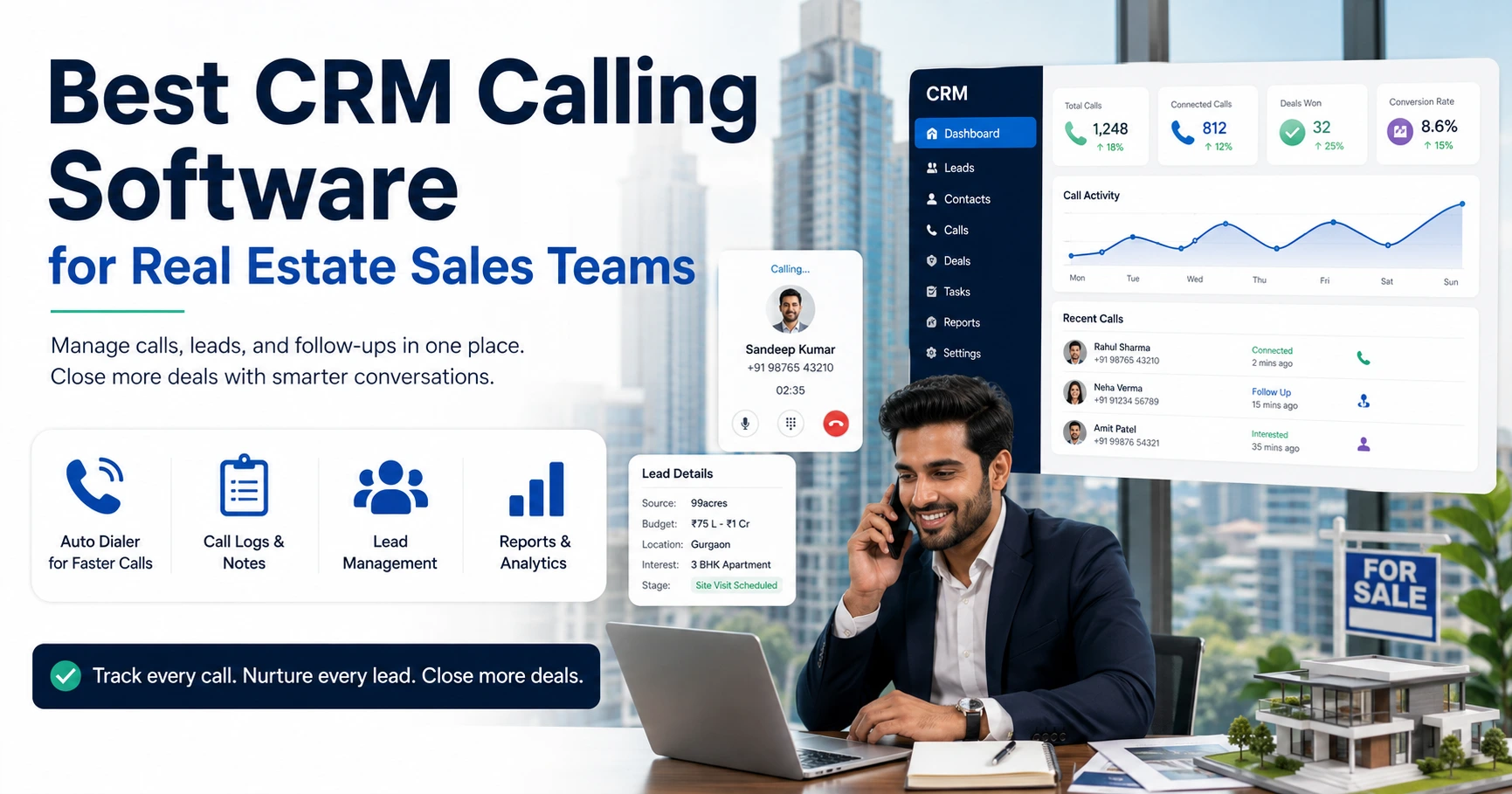
Real estate: A telecalling team receives leads from property portals and Facebook ads throughout the day. Sales calling software can auto-assign leads by project or location, prompt telecallers to schedule site visits, and remind agents to follow up with leads who showed interest but haven’t visited yet.
Insurance: Agents handling renewals and new policy enquiries can use product-specific call scripts, log outcomes with one tap, and let the system schedule the next follow-up automatically closer to a customer’s renewal date.
Education: Admission counsellors calling enquiry leads can prioritise by how recently a lead enquired, track which leads they’ve already counselled, and send WhatsApp reminders for application deadlines alongside calls.
B2B sales: A B2B sales team with longer sales cycles can track every touchpoint against a deal, see which leads are stuck at a stage, and see which outreach lists are actually converting into meetings.
Recruitment: Recruiters calling candidates from job portals can tag them by skill and availability, log interview scheduling as an outcome, and avoid re-calling candidates who already declined a role.
Common Mistakes to Avoid
Even good sales calling software delivers limited value when teams set it up or use it poorly.
- Treating it only as a dialer. Placing calls without logging outcomes or updating lead stages means managers still have no real visibility.
- Ignoring compliance settings. Not configuring DND checks or calling-hour restrictions can lead to complaints and regulatory issues.
- Overloading agents with unclear assignment rules. Assigning leads without considering language, location or workload creates uneven call distribution.
- Not reviewing reports regularly. Call data only helps if managers actually check connect rates and conversion by source regularly.
- Skipping follow-up discipline. Software can remind an agent to call back, but the agent still has to act on it — reminders alone don’t fix a weak habit.
Best Practices for Getting More From Sales Calling Software
- Set clear assignment rules from day one, based on language, territory or lead source.
- Standardise call outcomes (connected, callback requested, not interested, converted) so reporting stays consistent.
- Review connect rate and follow-up completion weekly, not just conversions — these flag process problems early.
- Use call recordings or summaries for coaching, not just monitoring, so agents improve over time.
- Keep calling windows and DND checks switched on at all times, rather than treating compliance as optional.
- Combine calling with WhatsApp or SMS for leads who are harder to reach by phone.
How TeleCallingCRM Can Help
TeleCallingCRM serves outbound sales and telecalling teams in India. It combines a smart auto-dialer, lead assignment and scoring, call tracking with AI-generated call summaries, a sales pipeline with follow-up reminders, and WhatsApp, SMS and email messaging in one platform, alongside DND and calling-hours compliance controls.
It suits teams currently managing leads through spreadsheets, WhatsApp groups, or a basic CRM that can’t handle high call volumes. Comparing its features against what your team uses today is a reasonable next step before deciding whether to switch.
Frequently Asked Questions
What is sales calling software?
Sales calling software is a tool that helps sales teams make, log and track outbound calls, usually alongside lead management, follow-up reminders and reporting, so calling activity and lead data live in one system instead of separate tools.
How is sales calling software different from a regular CRM?
A general CRM tracks customer records and deals but often lacks calling-specific tools like an in-app dialer, automatic call logging, or calling-hour compliance. Sales calling software centres on the calling workflow first, then layers CRM-style pipeline tracking on top.
What features should I look for in sales calling software?
Look for a reliable dialer, automatic lead assignment, call logging, follow-up reminders, basic pipeline reporting, and DND compliance checks. Mobile access and WhatsApp/SMS integration matter if your team works outside the office.
Is sales calling software useful for small teams?
Yes. Even a 5–10 person team benefits from automatic lead assignment and follow-up reminders, since manual tracking becomes error-prone once a team handles more than a few dozen active leads.
Does sales calling software help with follow-ups specifically?
Yes, this is a core function. Good lead follow-up software auto-schedules the next call based on the previous outcome and reminds the assigned agent, reducing forgotten leads.
Is it legal to use auto-dialers for sales calls in India?
Auto-dialing itself is legal, but businesses must follow TRAI’s Unsolicited Commercial Communications regulations, including the DND registry and permitted calling hours. Software with built-in DND and calling-hour controls makes this easier.
How much does sales calling software typically cost?
Pricing models vary — some tools charge per user per month, while others offer flat monthly pricing regardless of team size. Compare total cost for your team size, not just the headline per-user price.
Can sales calling software work alongside WhatsApp and SMS?
Many modern tools support WhatsApp, SMS and email alongside calling, so agents can message a lead who doesn’t answer instead of only relying on repeated calls.
Conclusion
Sales calling software isn’t about calling more people — it’s about calling the right leads, at the right time, and not losing track of the ones still in progress. The features that matter most are the ones that remove manual work from your team’s day: automatic assignment, follow-up reminders, call tracking, and reporting that managers can actually use.
If your team is currently relying on spreadsheets or a basic CRM to manage outbound calling, it may be worth comparing what a purpose-built telecaller CRM costs against the time your team is currently losing to manual follow-ups and missed calls.