


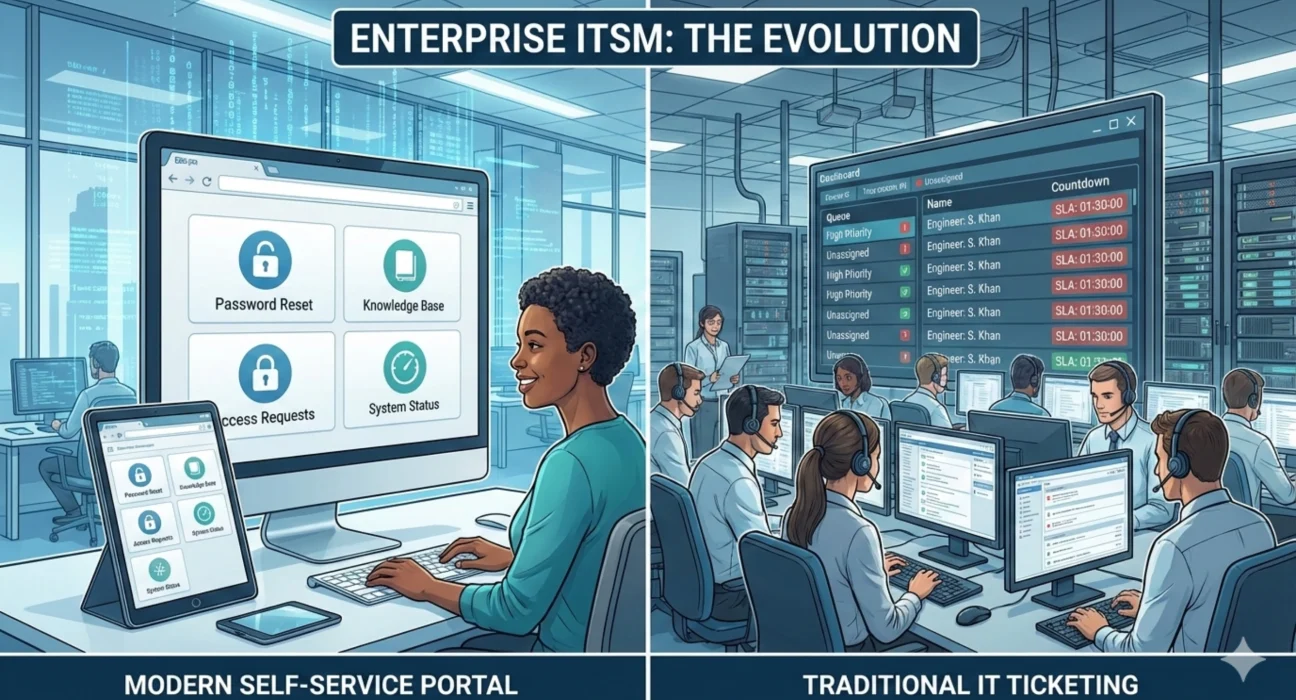
The question isn’t whether enterprises should use self-service portals or traditional ticketing. The question is how to use both effectively so users get help quickly and support teams focus on problems that actually require expertise.
Self-service portals let users solve common problems themselves without creating tickets. Password resets, software installation guides, access request forms, knowledge base articles, status pages. When implemented well, they handle 30 to 40 percent of support volume without involving support staff. Traditional ticketing captures everything else and ensures it gets tracked, assigned, and resolved properly.
The challenge is that most enterprise self-service implementations don’t achieve these results. Users try the portal, can’t find what they need, and create a ticket anyway. Or worse, they skip the portal entirely because experience taught them it’s faster to just call the help desk. The portal exists but doesn’t deflect meaningful volume, so support teams don’t see the benefit and stop investing in it.
Getting value from self-service requires understanding why users create tickets in the first place, what can realistically be automated or documented, and how to make self-service genuinely easier than traditional ticketing. It also requires accepting that many issues will always need human attention. The goal isn’t eliminating tickets. It’s handling routine requests efficiently, so support teams can focus on complex problems.
What Self-Service Actually Solves
Self-service addresses a specific problem in enterprise support operations. A significant portion of incoming tickets are routine requests that follow predictable patterns. Password resets, software access requests, printer setup, VPN troubleshooting, and standard hardware requests. These don’t require troubleshooting or technical expertise. They just require following documented procedures or executing standard workflows.
When these requests come through traditional ticketing, they consume support capacity without adding much value. An engineer spends three minutes resetting a password or five minutes processing an access request. Multiply that by hundreds of tickets per day, and you’ve consumed hours of skilled support time on work that could be automated or self-served.
Self-service moves this routine work out of the queue. Users reset their own passwords through an automated tool. They request access through a form that routes to appropriate approvers and provisions automatically. They find answers to common questions in a searchable knowledge base. They check system status on a dedicated page instead of asking whether something is down.
This benefits users through faster resolution and benefits support teams through reduced volume of routine tickets. The engineers spend their time on problems that actually require diagnosis and expertise. The organization gets better service delivery at a lower cost because you’re not paying skilled technical staff to perform repetitive administrative tasks.
Where Self-Service Doesn’t Work
Self-service is effective for routine, predictable work. It doesn’t replace traditional ticketing for everything else.
Problems that require diagnosis can’t be self-served. When an application behaves unexpectedly, when performance degrades for unclear reasons, or when specific features stop working, users need expert help. They don’t have the tools, access, or knowledge to troubleshoot these issues themselves. Trying to force self-service for complex problems just frustrates users and delays actual resolution.
Issues that require coordination across multiple teams need traditional ticketing. Complex access requests that involve custom permissions, hardware deployments that need procurement and configuration, and service requests that affect multiple systems. These require workflow, approvals, and handoffs that don’t fit self-service models.
Problems affecting critical business operations shouldn’t be routed through self-service portals. When a revenue-generating system is down, or a security issue is discovered, users need immediate human attention and direct communication, not a form to fill out or a knowledge base to search.
Requests that need business context or judgment don’t belong in self-service. Should this user get elevated privileges? Is this software purchase justified? Does this change request align with the security policy? These require review by people who understand the business context and can make informed decisions.
The key is properly segmenting what belongs in self-service versus traditional ticketing. Organizations that try to self-serve everything create poor user experiences. Organizations that don’t self-serve anything waste support capacity on routine work. The right approach uses each channel for what it’s good at.
Building Self-Service That Users Actually Use
Most failed self-service implementations suffer from the same problems. The portal is hard to navigate, the search doesn’t work well, the knowledge articles are outdated or unclear, the automated tools don’t actually work reliably. Users try once, have a bad experience, and never come back.
Effective self-service starts with identifying the highest-volume routine requests in your environment. Pull six months of ticket data and see what issues appear most frequently. Password resets, access requests, software installation questions, and common application errors. These are your candidates for self-service.
For each candidate, determine whether it can be fully automated, partially automated, or addressed through documentation. Password resets can be fully automated with proper identity verification. Access requests can be partially automated with routing and approval workflows, but require human review. Common questions can be addressed through clear documentation if the problem is consistent.
The self-service interface needs to be genuinely intuitive. Users shouldn’t need training to use it. Common requests should be prominently featured. Search should actually work and return relevant results quickly. The process for submitting requests should be simpler than creating a traditional ticket, not more complicated.
Knowledge base articles need to be written for users, not by technical staff writing for other technical staff. Clear steps, screenshots were helpful, focused on solving specific problems rather than explaining entire systems. Each article should address one issue completely. Users searching for help with VPN connections shouldn’t have to read through an entire network architecture document.
Automated self-service tools need to be reliable. A password reset tool that works 95 percent of the time sounds good, but that 5 percent failure rate means users can’t trust it. They’ll create tickets anyway because they can’t afford to wait while the automation fails and then start over with traditional ticketing. Self-service tools need to work consistently or not be offered at all.
Status pages and proactive communication reduce ticket volume significantly. When users know a system is down and being worked on, many won’t create tickets. The status page needs to be current, updated during incidents, and include realistic estimates when available. Vague statements like “we’re aware of an issue” don’t prevent tickets.
Integration Between Self-Service and Ticketing
Self-service and traditional ticketing shouldn’t be separate systems. They need to work together seamlessly.
When self-service can’t solve a problem, escalating to a ticket should be effortless. The user shouldn’t have to explain everything again. The context from their self-service attempt should carry over to the ticket automatically. What they searched for, what documentation they tried, what automated tools they used. This information helps support engineers understand what the user has already attempted.
Tickets should reference relevant knowledge base articles automatically. When an engineer resolves an issue that has documented solutions, they should be prompted to share those articles with the user. This educates users about self-service resources they might not have known existed.
The knowledge base should be updated based on ticket trends. When the same issue generates tickets repeatedly, that’s a signal to create or improve self-service documentation. The feedback loop between tickets and knowledge management ensures the self-service portal addresses real user needs, not what someone thought would be helpful.
Self-service usage should be visible in your reporting alongside ticket metrics. How many users are successfully resolving issues through self-service? Which automated tools are used most frequently? Where do users abandon self-service and create tickets instead? This data shows whether self-service is working and where to focus improvements.
Governance and Continuous Improvement
Self-service portals require ongoing maintenance, or they degrade quickly. Knowledge articles become outdated as systems change. Automated tools break when underlying systems are updated. User needs evolve, and the portal doesn’t keep up.
This requires clear ownership. Someone needs to be responsible for portal performance, content accuracy, and continuous improvement. Not as a side project, but as an explicit part of their role. This person reviews usage data, identifies gaps, coordinates content updates, and ensures automated tools remain functional.
Knowledge article reviews should happen regularly. Each article needs an owner who verifies accuracy at least quarterly. Outdated articles should be updated or archived, not left to confuse users. New articles should be created based on ticket trends and user feedback.
Automated tools need monitoring and maintenance. Password reset tool success rates, access provisioning completion times, and form submission errors. These metrics should be tracked and reviewed. When performance degrades, it needs immediate attention because users will abandon self-service quickly if reliability suffers.
User feedback mechanisms help identify problems and opportunities. The portal should make it easy for users to rate articles, report issues, or suggest topics that need coverage. This feedback should be reviewed regularly and acted on. Users are more likely to use self-service when they see it improving based on their input.
The Cost Equation
Self-service requires upfront investment. Building the portal, creating knowledge content, implementing automation tools, and integrating with existing systems. Organizations sometimes underestimate these costs and then wonder why their self-service implementation isn’t effective.
The investment pays back through reduced ticket volume and faster resolution for routine issues. If you’re handling 5,000 tickets per month and self-service deflects 35 percent, that’s 1,750 fewer tickets. At an average cost of $15 to $25 per ticket for support staff time, the monthly savings are $26,000 to $44,000. Those funds are significant for self-service investment and ongoing maintenance.
The savings compound over time. As more content gets added and automation improves, deflection rates can increase. Users become more familiar with self-service and try it first instead of creating tickets. The portal becomes the default starting point for routine issues rather than an afterthought.
However, these savings only materialize if the self-service implementation is actually good. A poorly designed portal that users don’t trust or can’t navigate won’t deflect meaningful volume. You’ll have spent money building something that doesn’t deliver value. This is why proper implementation matters more than getting something deployed quickly.
How Ozrit Implements Enterprise Self-Service
Ozrit’s approach to self-service programs starts with analyzing your ticket data to identify high-volume routine requests that are good candidates for self-service. Not every ticket type belongs in self-service, and trying to self-serve everything creates poor user experiences. The analysis identifies where self-service will have the biggest impact on both user satisfaction and support efficiency.
The design phase focuses on user experience and integration with existing systems. The portal needs to work with your identity management platform for authentication, your ticketing system for escalation, your CMDB for context, and your monitoring tools for status information. These integrations determine whether the portal is genuinely useful or just another disconnected tool.
Implementation follows a phased approach. The first phase typically includes the highest-value self-service capabilities like password reset, basic knowledge base, and status page. Subsequent phases add access request workflows, additional automation, and expanded documentation. This allows you to realize benefits sooner and refine the approach based on actual usage.
A senior delivery lead owns the program from design through launch and initial operation. They coordinate across IT teams, manage the content creation process, ensure integrations work properly, and oversee the change management needed for successful adoption. You’re not trying to coordinate multiple workstreams independently or align different vendors.
The implementation team typically includes four to seven people, depending on the scope. User experience designers who create intuitive interfaces, integration engineers who connect the portal to existing systems, content specialists who develop knowledge articles, and automation developers who build self-service tools.
Realistic timelines for comprehensive self-service implementations run three to five months. That includes analysis, design, development, content creation, integration, testing, and launch. Individual capabilities can be delivered faster, but building a complete self-service portal that users actually want to use takes time.
Ozrit provides ongoing support after launch because self-service portals need continuous improvement. As systems change, content needs updates. As usage patterns emerge, new capabilities should be added. The support includes 24/7 coverage for technical issues with the portal itself and regular engagement to review performance and plan enhancements.
The goal isn’t just launching a portal. It’s creating a self-service capability that deflects meaningful ticket volume sustainably. That requires proper design, solid implementation, ongoing maintenance, and continuous improvement based on usage data.
The Right Balance
The most effective enterprise support operations use self-service for routine, predictable work and traditional ticketing for everything that requires expertise, coordination, or judgment. Neither approach eliminates the need for the other.
Users should find self-service genuinely easier and faster than creating tickets for issues it’s designed to handle. Support teams should see a measurable reduction in routine ticket volume. Both should happen or the implementation isn’t working.
Your self-service and ticketing capabilities reflect how seriously you take service delivery efficiency. Organizations that invest in both and integrate them properly deliver faster service at lower cost. Organizations that rely entirely on traditional ticketing waste support capacity on routine work. Organizations that push too much into self-service frustrate users with tools that can’t actually solve their problems. The difference is understanding what each approach is good for and implementing both properly.