Introduction
Imagine your phone falls in a bucket, or your laptop stops booting on the 1st of the month. Suddenly you can’t tell who has paid rent, whose deposit is how much, or which bed is vacant. For a PG owner, that’s not an IT problem. It’s a business problem. A simple PG data backup routine protects the records your income depends on.
This guide covers which records every PG owner should keep, how long to keep them, where to store them safely, and how to back them up without much effort. If you’re tired of juggling notebooks, WhatsApp chats and Excel files, you’ll also see how PG and hostel management software can make backups much easier to manage.
What Is PG Data Backup?
PG data backup means keeping a second copy of your important PG records, such as tenant details, rent payments, deposits and agreements, in a different place from the original. If the original is lost, damaged, or deleted, you can restore it from the copy.
A good backup has three qualities: it’s recent, it’s stored separately from the original, and you’ve confirmed you can actually open it. A backup you’ve never tested is just a hopeful guess.
Why Every PG Owner Needs a Backup Routine
Most PG owners think about backups only after something goes wrong. Typical situations include:
- A phone is lost, stolen or reset, and with it the only record of rent payments.
- An Excel file gets overwritten or corrupted.
- A manager quits and takes the notebook or the only copy of the data.
- A tenant disputes a deposit amount and you can’t prove what was paid.
- A water leak, fire or power surge damages papers and devices.
In each case, the loss isn’t just inconvenient. You can lose rent you were owed, argue over deposits without proof, or struggle to confirm who is staying in your property. Records are the backbone of a PG business, and the backup is what protects them.
Which Records Should Every PG Owner Keep?
Not all data is equally important. Here’s a practical way to sort it.
Tenant records
This is the most important category. For each tenant, keep:
- Full name, phone number and emergency contact
- Photo and ID proof (KYC documents)
- Workplace or college details
- Move-in date and room or bed assigned
- Signed rental or PG agreement
- Notice date and move-out date, once they apply
Tenant KYC documents carry sensitive personal information, so treat them with extra care (more on this below).
Rent and payment records
Money records settle most arguments. Keep:
- Monthly rent due, paid and pending for every tenant
- Payment date and mode (cash, UPI, bank transfer)
- UPI transaction references or screenshots
- Receipts you issued
- Late fees charged or waived
Security deposit records
Deposit disputes are among the most common PG conflicts. Record the amount received, the date, the mode of payment, any deductions made later, and the refund details at move-out. If you want to see how these figures come together at checkout, our guide on final PG settlement calculation walks through the formula.
Property and occupancy records
- List of buildings, floors, rooms and beds
- Current occupancy and vacancy status
- Rent set for each room or bed type
- Booking or advance records for incoming tenants
Expense records
- Electricity, water, internet and gas bills
- Staff salaries, cook or housekeeping payments
- Repairs, maintenance and purchase bills
- Vendor contact details
Complaints and maintenance logs
A short log of complaints (what, when, who, and how it was resolved) helps you spot repeated problems and gives you evidence if a tenant later claims an issue was ignored.
Legal and compliance documents
- Property ownership or rental agreement with the building owner
- Any licences or registrations that apply to your PG in your city
- Police verification or tenant intimation records, if your local rules require them
Rules differ by city and state, so check with your local authority or a professional about what applies to you.
How Long Should You Keep PG Records?
There’s no single rule for every document. Here is a general guide, but confirm with your accountant for tax-related records.
| Record type | Suggested retention |
|---|---|
| Active tenant records | For the full stay |
| Former tenant records (agreement, KYC, payments) | At least a few years after move-out |
| Deposit refund proof | Keep long-term, since disputes can surface late |
| Income and expense records | As advised by your accountant for tax purposes |
| Property and legal documents | As long as you operate the property |
This table is a practical guide, not legal advice. Tax and legal retention periods vary, so speak with your chartered accountant or lawyer for the exact requirement.
The 3-2-1 Backup Rule, Simplified
Many IT professionals follow the 3-2-1 rule. It works well even for a small PG.
- Keep 3 copies of important data: the original plus two backups.
- Use 2 different storage types, for example your phone or laptop plus a cloud account.
- Keep 1 copy away from the PG, such as in cloud storage, so a fire or theft at the property doesn’t wipe out everything.
You don’t need to follow it perfectly. Even moving from “one copy on one phone” to “original plus one cloud copy” is a big improvement.
Where to Store PG Backups
Cloud storage
Services like Google Drive or OneDrive let you store files online and access them from any device. They’re convenient and usually enough for a small PG. Turn on two-step verification for the account.
External hard drive or pen drive
A physical drive is a good second copy. Store it away from your laptop, and don’t keep it in the PG office alone. Drives can fail, so don’t rely on only one.
Paper records
Keep signed agreements and ID copies in a locked file or cupboard. Scan them too, so a paper-only document doesn’t become a single point of failure.
Management software
PG management software stores records in one system instead of scattered files. This helps with organization, but you should still ask the provider how data is stored and what backup or export options exist. Don’t assume. Ask.
Manual Backups vs Software-Based Records
| Factor | Manual (notebook, Excel, WhatsApp) | PG management software |
|---|---|---|
| Where data lives | Scattered across devices and papers | One central system |
| Backup effort | You must remember to do it | Depends on the provider; confirm how it’s handled |
| Searching for a tenant | Slow, manual | Faster, since records are organized |
| Access by staff | Often shares files or notebooks | Can be controlled per user, depending on the product |
| Risk of version confusion | High (many copies of one Excel) | Lower, as there’s one source |
| Reports | Built by hand | Generated from stored data |
Software doesn’t remove the need to think about data safety. It reduces the mess, which makes backups simpler.
A Simple PG Data Backup Routine
Use this as a starting point and adjust to your property.
- List your records. Use the categories above as a checklist.
- Pick your storage. One cloud account plus one physical copy is a solid baseline.
- Name files clearly. Something like “Tenant-Name_Room_Agreement” saves hours later.
- Set a schedule. Daily if you update rent daily, weekly at minimum.
- Back up before big changes. Do it before month-end rent runs, software changes or phone upgrades.
- Test a restore. Every few months, open a backup and check it works.
- Assign responsibility. Decide who does the backup, whether it’s you or your manager.
Protecting Sensitive Tenant Data
PG records often include ID proofs, photos and phone numbers. Losing control of them can cause real harm to your tenants and damage your reputation. A few good habits:
- Use strong, unique passwords and two-step verification on cloud accounts.
- Don’t share KYC documents on casual WhatsApp groups.
- Limit access. Only people who need the records should have them.
- Remove access when staff leave. Change shared passwords the same day.
- Lock your devices with a PIN or biometric.
- Delete data you no longer need once your retention period is over.
India now has a data protection law, the Digital Personal Data Protection Act, 2023. If you’re unsure how it applies to your PG, take professional advice rather than guessing.
Common PG Data Backup Mistakes
- Relying on one phone. Phones get lost, dropped and reset.
- Keeping the only copy with a manager. If they leave, so does your data.
- Never testing the backup. You find out it’s broken when you need it most.
- Backing up rarely. Last month’s backup doesn’t help if you lost this month’s rent entries.
- Storing backups next to the original. One theft or fire takes both.
- Keeping ID documents unprotected in shared folders or open chats.
How PGCRM Can Help Keep Records Organized
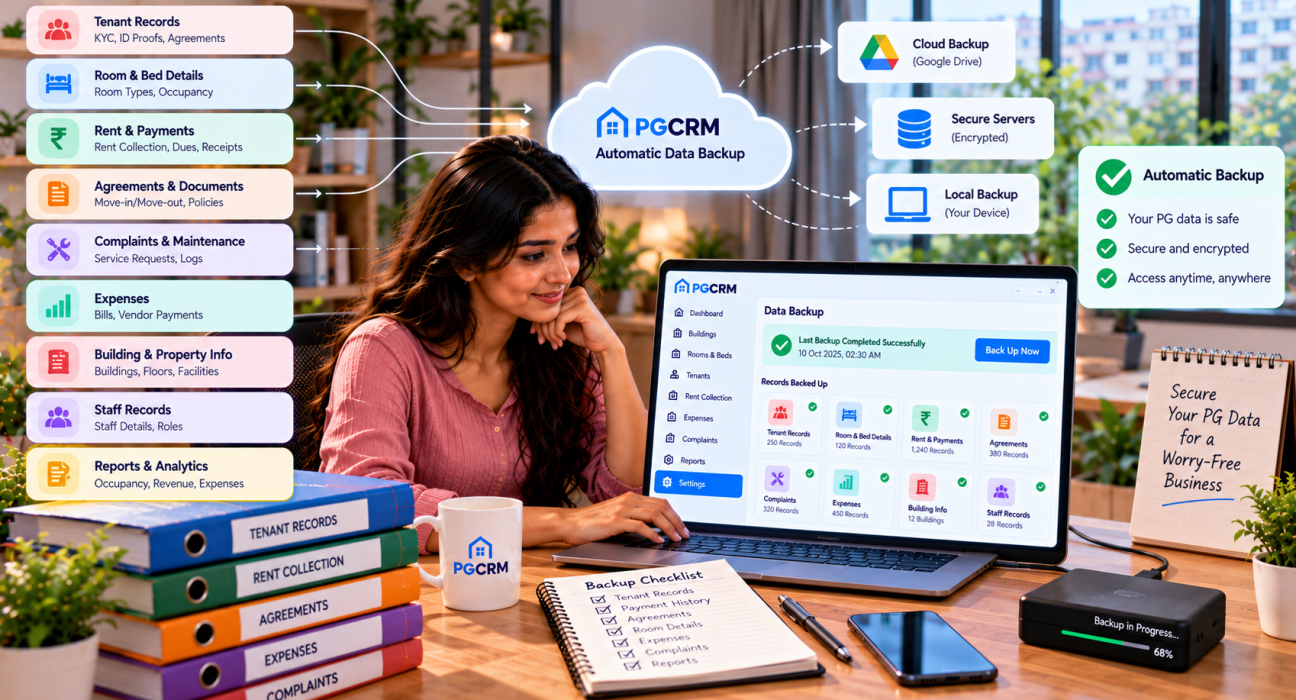
PG management software such as PGCRM can help owners centralize tenant records, KYC, rent tracking, cash and UPI payment records, room and bed information, expenses, complaints and reports in one place. When everything sits in one system, you’re no longer hunting through five apps to find one tenant’s payment history.
If you’re considering any software for record keeping, ask the provider specific questions about how your data is stored, how it can be exported, and who can access it. A clear answer to those questions is worth more than any feature list.
FAQ
What is PG data backup?
PG data backup is the practice of keeping a second copy of your important PG records, including tenant details, rent payments, deposits and agreements, in a separate location. If the original data is lost, damaged or deleted, you can restore it from the backup and carry on without losing financial or tenant information.
Which records should a PG owner back up first?
Start with tenant details and KYC, rent and payment history, and security deposit records. These carry the highest risk if lost, because they involve money and legal proof. After that, back up agreements, occupancy details, expense records and complaint logs.
How often should I back up my PG data?
Match the schedule to how often your data changes. If you record rent daily, back up daily or at least a few times a week. If updates are rare, weekly is a reasonable minimum. Also back up before month-end, device upgrades or any software change.
Is Google Drive enough for PG data backup?
For a small PG, it’s a good start, provided you secure the account with a strong password and two-step verification. Ideally, also keep one more copy elsewhere, such as an external drive. Organize files in folders and name them clearly so they’re easy to find during an emergency.
How long should I keep records of former tenants?
There’s no single rule. Many owners keep agreements, KYC and payment proof for a few years after move-out, and keep deposit refund proof longer. For tax records, follow your accountant’s advice. For legal documents, check with a lawyer, because requirements vary by location.
Is it safe to store tenant ID proofs on WhatsApp or my phone?
It’s risky if those files are the only copy, or if the phone isn’t locked. Phones get lost and chats get shared by mistake. Store ID proofs in a secured folder or system with limited access, and avoid forwarding them in group chats.
Should I use PG management software for backups?
Software can make records easier to organize and find, which simplifies backing them up. But the software’s own data handling matters, so ask the provider how data is stored, whether you can export it, and who can access it. Then keep an independent copy of critical records as well.
Conclusion
PG data backup isn’t about technology. It’s about protecting the records that your rent income, tenant trust and legal position depend on. Know which records matter, store them in more than one place, back up on a schedule, and keep sensitive documents locked down.
If you want fewer scattered files and clearer tenant, rent and occupancy records, explore PGCRM to simplify your PG and hostel management.