


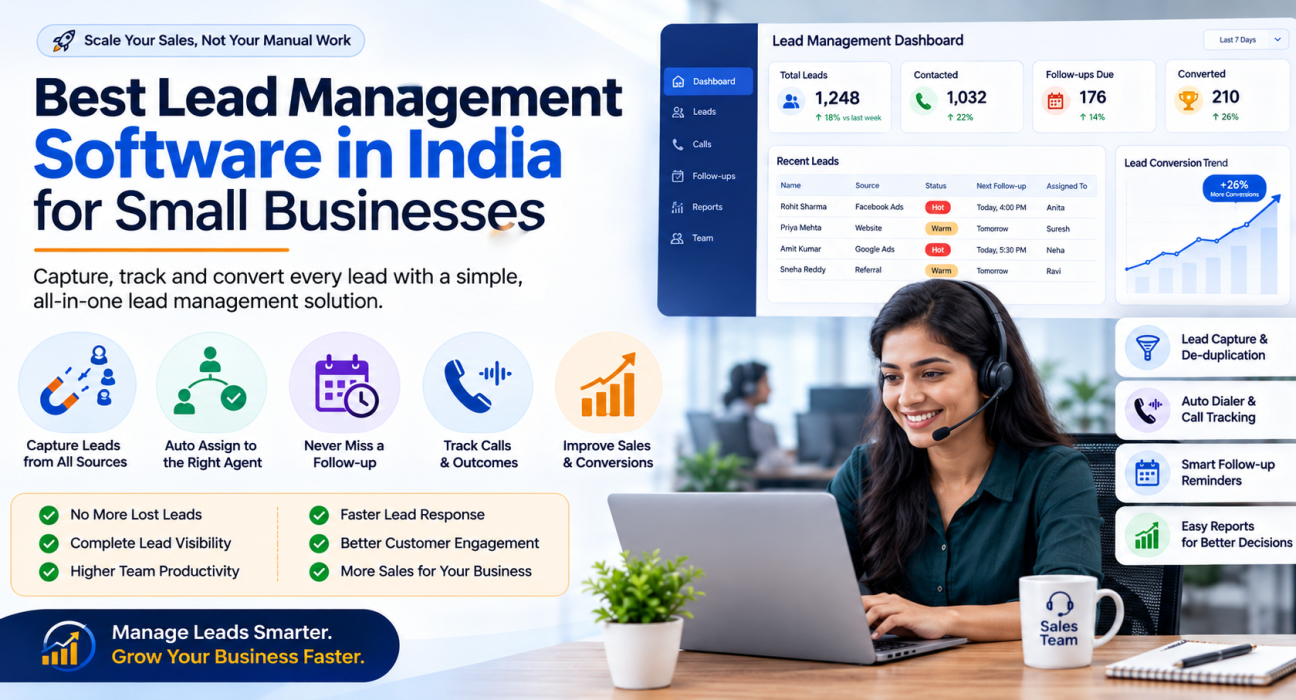
Best Lead Management Software in India for Small Businesses
Most small businesses in India don’t lose sales because their product is weak. They lose sales because a lead comes in on WhatsApp, gets written on a notepad, and is forgotten by the time someone remembers to call back.
This is the exact problem lead management software is built to solve. If you run a small sales team — even three or four telecallers — and you’re evaluating options, this guide walks through what the software actually does, what to look for, and how to pick one without getting distracted by flashy feature lists. Many small teams start with a simple lead management software that also handles calling and follow-ups, since leads and calls usually need to live in the same place.
What Is Lead Management Software?
Lead management software is a system that captures incoming enquiries from ads, websites, and calls, organises them in one place, assigns them to the right salesperson, and tracks every follow-up until the lead is won or lost. It replaces spreadsheets, notebooks, and scattered WhatsApp chats with a single, searchable record of every prospect.
For a small business, this usually means three things working together: a place to store leads, a way to assign and track them, and reminders so nobody forgets to call back.
Why Small Businesses in India Struggle Without It
Small business owners in India typically manage leads through a mix of Excel sheets, personal WhatsApp numbers, and memory. This works when you have five leads a week. It breaks down fast once volume grows.
Common problems include:
- Leads sitting untouched. A lead comes in from Facebook or a property portal, and nobody is assigned to call it within the first hour, when interest is highest.
- No follow-up discipline. A telecaller promises to call back “tomorrow” and forgets, because the reminder lived only in their head.
- No visibility for the owner. The business owner has no way to see how many leads came in, how many were called, and how many converted — without asking each person individually.
- Lost leads during staff turnover. When a telecaller leaves, their WhatsApp chats and notes usually leave with them.
- Duplicate calling. Two agents call the same lead because there’s no shared record of who’s already spoken to whom.
None of these are people problems. They’re process problems, and software fixes the process.
What Lead Management Software Should Actually Do
Before comparing tools, it helps to know what a genuinely useful lead management system covers. At a minimum, it should handle:
- Lead capture — pulling in enquiries from Facebook/Instagram ads, Google Ads, your website, and portals relevant to your industry, instead of manual copy-paste.
- Lead assignment — routing each lead to an agent automatically, by rule (round-robin, language, or a fixed owner), rather than someone manually deciding who gets what.
- De-duplication and DNC checks — so the same number isn’t called twice, and numbers on the Do Not Call registry are respected.
- Follow-up scheduling — reminders that fire on their own, with overdue leads clearly flagged.
- Call tracking — a record of who called whom, when, for how long, and with what outcome.
- Basic reporting — how many leads came in, how many were contacted, and how many converted, without needing to ask anyone.
Anything beyond this — AI call scoring, revenue forecasting, WhatsApp automation — is useful, but the six points above are the non-negotiables.
Lead Management Software vs a Full Telecalling CRM
This is where many small businesses get confused. A plain lead management tool only organises leads. It doesn’t help you actually make calls, log outcomes, or manage a telecalling team.
A telecalling CRM — sometimes called a telecaller CRM or sales calling software — combines lead management with an actual calling workflow: a dialer, call logging, and agent tracking, on top of the lead database.
| What you need | Lead management tool alone | Telecalling CRM |
|---|---|---|
| Organise and assign leads | Yes | Yes |
| Auto-dial through a lead list | No | Yes |
| Log call duration and outcome automatically | No | Yes |
| Track individual agent calling activity | Limited | Yes |
| Follow-up reminders tied to calls | Sometimes | Yes |
| Best for | A single person tracking enquiries | A team of telecallers making outbound calls |
If your business runs on outbound calling — real estate, insurance, education admissions, loan or finance sales, recruitment — you’re better served by a telecalling CRM than a generic lead tracker, because the calling and the lead record stay in sync automatically.
What to Look For When Choosing (Checklist)
Use this checklist while comparing options:
- Does it support bulk lead import from Excel/CSV without manual cleanup?
- Does it integrate with the lead sources you actually advertise on (Facebook, Google Ads, portals specific to your industry)?
- Does it assign leads automatically, or does someone have to do it by hand?
- Does it flag overdue follow-ups instead of relying on memory?
- Can you see call history and notes on a lead without asking the agent?
- Is pricing per user, or flat for a team? Per-user pricing gets expensive fast as you add agents.
- Is there a mobile app, if your agents work from phones rather than desktops?
- Does it fit Indian business needs — INR billing, DNC/TRAI compliance, and support in your working hours?
Real-World Examples (Illustrative)
These are hypothetical, industry-typical scenarios to show how lead management fits different businesses — not case studies or customer results.
- Real estate: A broker running Facebook and 99acres/Housing/MagicBricks ads gets 40–50 enquiries a day. Without auto-assignment, half sit unattended for hours. With rule-based routing, each lead reaches an available agent within minutes.
- Education: A coaching institute during admission season gets a burst of enquiries from a landing page and Google Ads. A shared lead pipeline stops two counsellors from calling the same parent.
- Insurance: A renewal is due in 30 days. A follow-up reminder set at the point of sale ensures the agent calls before the policy lapses, instead of relying on a diary entry.
- Recruitment: A staffing firm sources candidates from job portals and referrals. Lead scoring helps recruiters prioritise candidates who are more likely to respond, instead of calling the list top to bottom.
Common Mistakes Small Businesses Make
- Choosing a tool with no calling workflow, then still managing follow-ups manually on WhatsApp — this defeats the purpose.
- Overpaying with per-user pricing as the team grows, without checking if a flat-fee plan would be cheaper.
- Ignoring DNC and compliance features, which can lead to complaints or penalties for outbound calling businesses.
- Skipping the trial period. Most tools offer a short free trial — use it to test with real leads, not dummy data, before committing.
- Not training the team on follow-up discipline. Software reduces missed follow-ups, but it doesn’t replace the habit of actually calling back on time.
How TeleCallingCRM Approaches This
TeleCallingCRM is built specifically for Indian outbound sales teams rather than as a generic CRM retrofitted for India. On the lead management side, it includes bulk CSV/Excel import with automatic de-duplication, rule-based auto-assignment (round-robin, language-match, or a fixed agent), lead scoring, and DNC checks applied automatically before a number is dialled.
It also pulls leads directly from sources many small businesses already advertise on — Facebook and Instagram Lead Ads, Google Ads, and portals like 99acres, Housing, MagicBricks, JustDial, Sulekha, and TradeIndia — along with Wix, WordPress, and Google Sheets, so leads land in the pipeline instead of an inbox someone has to check manually.
Because it’s a telecaller CRM rather than just a lead tracker, leads and calling stay connected: follow-up reminders, call history, and outcomes sit against each lead automatically, and plans are priced flat per team (not per user), which matters once you’re adding agents. All plans include a 3-day free trial with no credit card required, so you can test it against your own lead flow before deciding.
This isn’t the only way to solve the problem — the checklist above applies regardless of which tool you eventually choose.
Frequently Asked Questions
What is the difference between lead management software and a CRM?
Lead management software focuses narrowly on capturing, organising, and assigning leads. A CRM (customer relationship management) tool is broader and usually includes lead management plus additional workflows like calling, pipeline tracking, and customer communication history.
Is lead management software useful for a very small team (2–3 people)?
Yes, if you’re getting enquiries from more than one channel or losing track of follow-ups. Below a handful of leads a week, a simple spreadsheet may still work; once volume grows, manual tracking becomes the bottleneck.
How much does lead management software cost in India?
Pricing varies widely — some tools charge per user per month, others offer flat team pricing. For outbound-calling teams, tools like TeleCallingCRM start at flat plans from ₹999/month for up to 5 users, with every feature included rather than locked behind higher tiers.
Can lead management software integrate with Facebook and Google ad leads?
Most modern lead management and telecalling CRM tools support direct integration with Facebook/Instagram Lead Ads and Google Ads, pulling new enquiries in automatically instead of requiring manual export and import.
Do I need a dialer, or just lead tracking?
If your team’s main job is calling leads — as in real estate, insurance, education, or recruitment — a dialer built into the CRM saves significant time over dialling numbers manually and logging outcomes separately.
Is a mobile app important for small businesses?
It matters if your agents work remotely, in the field, or don’t sit at a desktop all day. A mobile app that supports calling, follow-ups, and lead updates keeps the system usable outside the office.
What compliance features should Indian businesses check for?
Look for DNC (Do Not Call) list enforcement, calling-hours restrictions, and secure handling of customer data. These reduce the risk of compliance complaints for outbound calling businesses.
Is there a free way to try lead management software before buying?
Many providers, including TeleCallingCRM, offer a short free trial without requiring card details upfront. Use this window to import a real (not sample) batch of leads and test the actual workflow your team will use daily.
Conclusion
The right lead management software isn’t the one with the longest feature list — it’s the one that matches how your team actually works. If your business runs on outbound calls, look for a system where lead management and calling are connected, not two separate tools you have to keep in sync manually.
Start with the checklist in this guide, test a couple of options with real leads during their trial period, and pick the one your team will actually use every day. If you want to see how lead assignment, follow-ups, and calling work together in practice, you can explore TeleCallingCRM’s pricing plans and try it with your own leads before deciding.