Benefits of Telecalling CRM for Sales and Marketing Teams
Benefits of telecalling CRM show up in the small, daily things: a lead called within minutes, a callback that is not forgotten, a campaign report that finally matches what agents hear on the phone. Sales and marketing teams often work from different sheets, so these gaps go unnoticed for weeks.
This guide explains the main gains for sales, marketing and managers, with practical examples and honest limits. If you are comparing options, start with how a dedicated calling CRM works in practice.
Disclosure: this blog is published by TeleCalling CRM. We mention our own product where relevant, but the points below apply to any good calling CRM.
What Are the Benefits of Telecalling CRM?
The main benefits of telecalling CRM are faster lead response, more time spent on calls, fewer missed follow-ups, clearer reports and better coordination between sales and marketing. It does not guarantee more sales, but it gives teams one record of every lead and call, which makes problems easier to see and fix.
Benefits of Telecalling CRM for Sales Teams
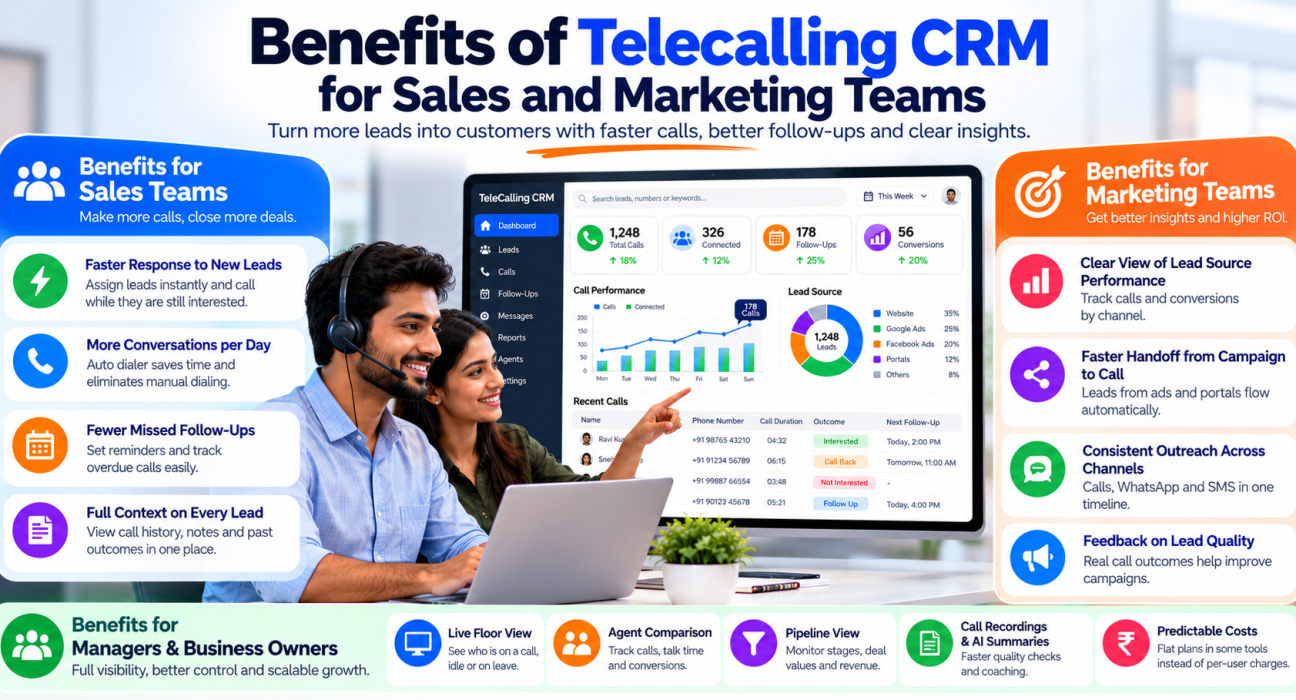
Faster response to new leads
When leads arrive from ads, portals or forms, the CRM can assign each one to an agent using rules such as round-robin or language match. Some tools assign only to agents who are on shift. This cuts the delay between enquiry and first call.
More conversations per day
An auto dialer rings through the assigned list, so agents do not type numbers or hunt through sheets. Call duration can be captured automatically, and outcomes are logged in one tap. Time saved on admin can go into talking to customers.
Fewer missed follow-ups
Most deals need several calls. Agents can schedule a callback in one tap, get reminders and see overdue ones on a daily list. Managers can check which follow-ups were completed, not just planned.
Full context on every lead
Call history, notes, source and past outcomes sit on the lead’s timeline. A second agent can pick up the conversation without asking the customer to repeat everything.
Benefits of Telecalling CRM for Marketing Teams
Clear view of lead source performance
Marketing spends on Facebook, Google and portals, but often cannot see what happens after the lead is handed over. A calling CRM tags each lead by source, so you can compare connection rates and conversions by channel. This helps you decide where to spend next month’s budget.
Faster handoff from campaign to call
Direct integrations push new leads into the CRM automatically, instead of waiting for a daily sheet upload. Faster handoff means campaign leads are still warm when agents call.
Consistent outreach across channels
A lead who misses a call may reply on WhatsApp or SMS. When calls and messages sit on one timeline, marketing and sales can see what the lead already received and avoid duplicate or conflicting messages.
Feedback on lead quality
Call outcomes such as “wrong number”, “not interested” or “budget mismatch” tell marketing what is wrong with a campaign. Instead of guessing, they get data from real conversations.
Benefits for Managers and Business Owners
Managers gain visibility they rarely get from spreadsheets:
- Live floor view: who is on a call, idle or on leave
- Agent comparison: calls, talk time, connection rate and conversions
- Pipeline view: stages, deal values and expected revenue
- Call recordings and AI summaries: faster quality checks and coaching
- Predictable costs: flat plans, in some tools, instead of per-user charges
Visibility helps you coach early, not after the month ends. For more on dashboards, see our post on live monitoring and reports.
Where Sales and Marketing Teams Gain Most
| Challenge | Without a calling CRM | With a calling CRM |
|---|---|---|
| Lead source unknown | Source lost in spreadsheets | Every lead carries its source |
| Slow assignment | Leads wait for manual allocation | Rule-based assignment on arrival |
| Forgotten callbacks | Notes in diaries or memory | Reminders and overdue alerts |
| Campaign reporting | Guesswork from leads count | Source-wise calls and outcomes |
| Sales-marketing disputes | “Leads were poor” vs “calls were weak” | Shared call outcomes and data |
| Manager visibility | End-of-month summaries | Live and historical reports |
Practical Examples
These are hypothetical examples to show how the gains may appear.
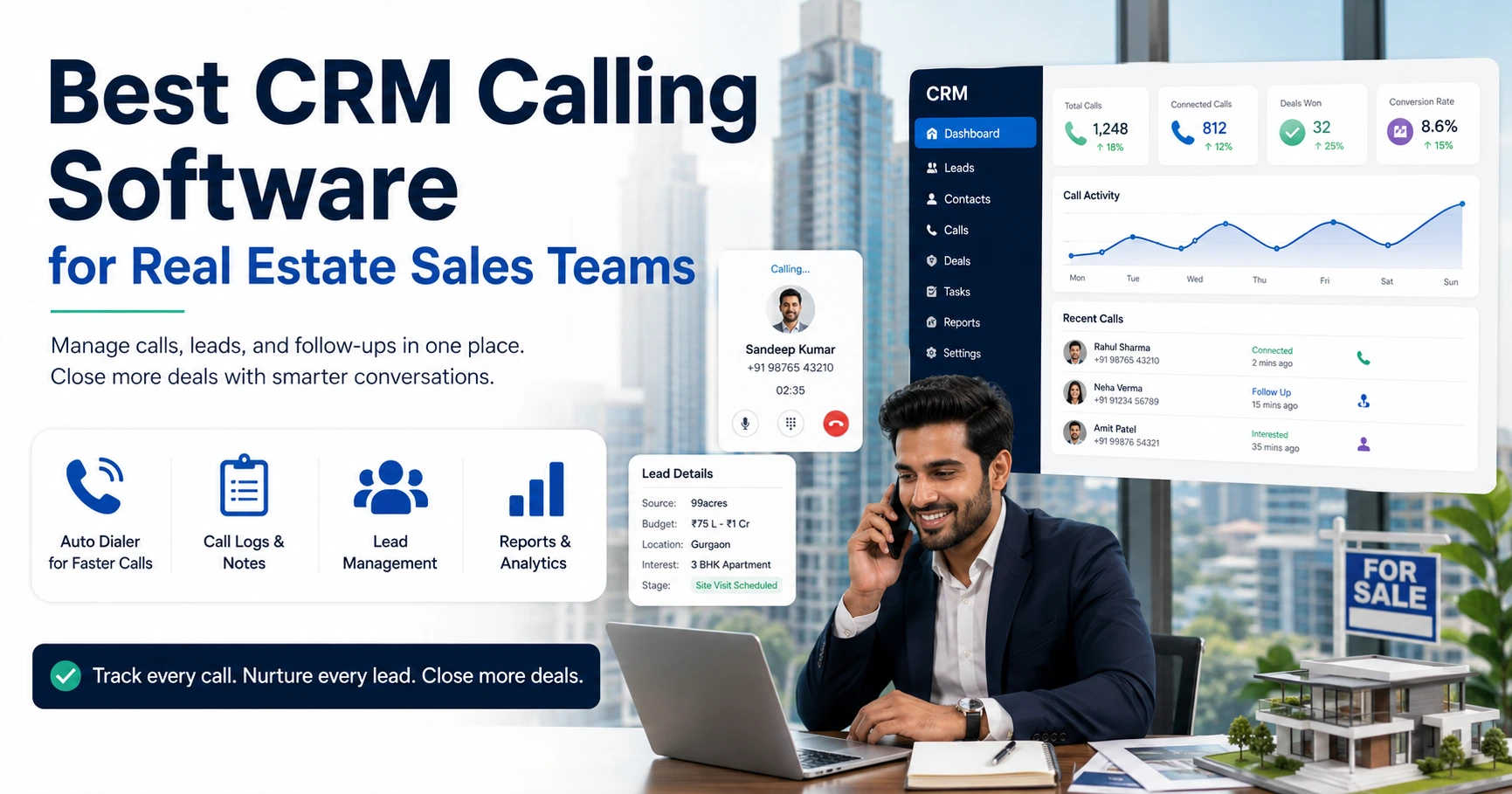
Real estate. A marketing team runs ads for a new project. Leads flow into the CRM with the campaign tag. Agents call, log budgets and schedule site visits. Marketing sees which campaign produced visits, not just enquiries. See our guide for real estate teams.
Education. An admissions team handles enquiries from forms and ads. Counsellors note course interest and parent concerns. Missed calls trigger a retry and a WhatsApp message. See Education CRM.
Insurance. An agency tracks renewals and calls policyholders before expiry. Recordings help review objection handling. See what insurance teams gain from calling software.
Limitations to Keep in Mind
- A CRM cannot fix poor lead quality, a weak offer or untrained agents.
- Reports are only as accurate as the data agents enter.
- Automation should support people, not replace judgment.
- A calling CRM is not necessarily a full marketing automation suite, so check what you need for email campaigns and nurture journeys.
- Calling must follow TRAI rules, including DNC preferences. See the Telecom Commercial Communications Customer Preference Regulations, 2018. A CRM can help with DNC and calling-hour controls, but compliance remains your responsibility.
How to Get the Benefits of Telecalling CRM in Practice
Software alone does not deliver results. Follow these steps:
- Clean your data. Remove duplicates and invalid numbers before importing.
- Connect lead sources. Reduce manual uploads so leads reach agents faster.
- Agree on call outcomes. Use a short list that sales and marketing both understand.
- Set assignment rules. Decide who gets which leads.
- Share one weekly report. Review source-wise calls, connection rate and conversions together.
- Coach from real calls. Use recordings and summaries to find what works.
Common Mistakes to Avoid
- Skipping training. Agents who do not log calls make reports useless.
- Long outcome forms. They slow agents and reduce data quality.
- Not sharing reports with marketing. The source data is wasted.
- Measuring only calls made. Conversation quality and follow-up completion matter too.
- Over-calling the same lead. It hurts trust and may breach preference rules.
How TeleCalling CRM Supports These Benefits
Based on its website, TeleCalling CRM is built for outbound sales teams in India. It lists:
- A smart auto dialer with automatic call duration capture and one-tap outcome logging
- Lead import, de-duplication, DNC checks, tags and custom capture forms
- Rule-based assignment by round-robin, language or fixed agent
- Follow-up scheduling with reminders and overdue alerts
- 12+ lead-source integrations, including Facebook and Instagram Lead Ads, Google Ads, 99acres, MagicBricks and JustDial
- SMS, email and WhatsApp messaging on one timeline
- Source performance, conversion funnel and agent comparison reports
- Encrypted call recording and AI call analysis, including transcripts, summaries and sentiment
- A sales pipeline, a live war room and an Android and iOS app
Per its pricing page, Basic is ₹999 per month for up to 5 users and Pro is ₹1,599 per month for up to 10 users, excluding GST. The website also mentions a 3-day free trial. Review the features page against your needs. If you need inbound call routing or IVR, those are not listed, so confirm first. For a full buying process, see our selection checklist.
FAQs: Benefits of Telecalling CRM
What are the main benefits of telecalling CRM?
Faster lead response, more conversations per day, fewer missed follow-ups, complete call history, clearer reports and better coordination between sales and marketing. Results depend on lead quality, training and consistent use.
Are the benefits of telecalling CRM different for small teams?
The core gains are similar: fewer missed callbacks and better records. Small teams benefit most from quick setup and predictable pricing, while larger teams gain more from monitoring, assignment rules and reporting.
How long does it take to see the benefits of telecalling CRM?
It varies. Setup can be quick, but improvements depend on data quality and agent habits. Record your baseline numbers first, then compare after a few weeks of steady use.
How does a telecaller CRM help marketing teams?
It shows which lead sources lead to real conversations, speeds up handoff through integrations and gives feedback from call outcomes. This helps marketing adjust campaigns using data instead of assumptions.
Does a calling CRM replace marketing automation software?
Not necessarily. It focuses on calls, follow-ups and lead handling. Check whether it covers your needs for email campaigns and nurture journeys, or whether you need a separate tool.
Can a telecalling CRM improve conversion rates?
It can support better conversions by improving response speed, follow-up discipline and coaching. It cannot guarantee results, because offers, pricing and agent skills also matter.
Does it help with TRAI and DND compliance?
It can help through DNC list checks and calling-hour controls, but it cannot guarantee compliance. Review TRAI’s current rules and take professional advice where needed.
Conclusion: Are the Benefits of Telecalling CRM Worth It?
For teams that depend on phone calls, the gains are practical: faster responses, fewer lost follow-ups, clearer data and better teamwork between sales and marketing. The value comes when the tool is paired with clean data, simple processes and regular reviews.
If you want to see how this works for your team, you can check the telecaller CRM plans and run a trial with your own leads.