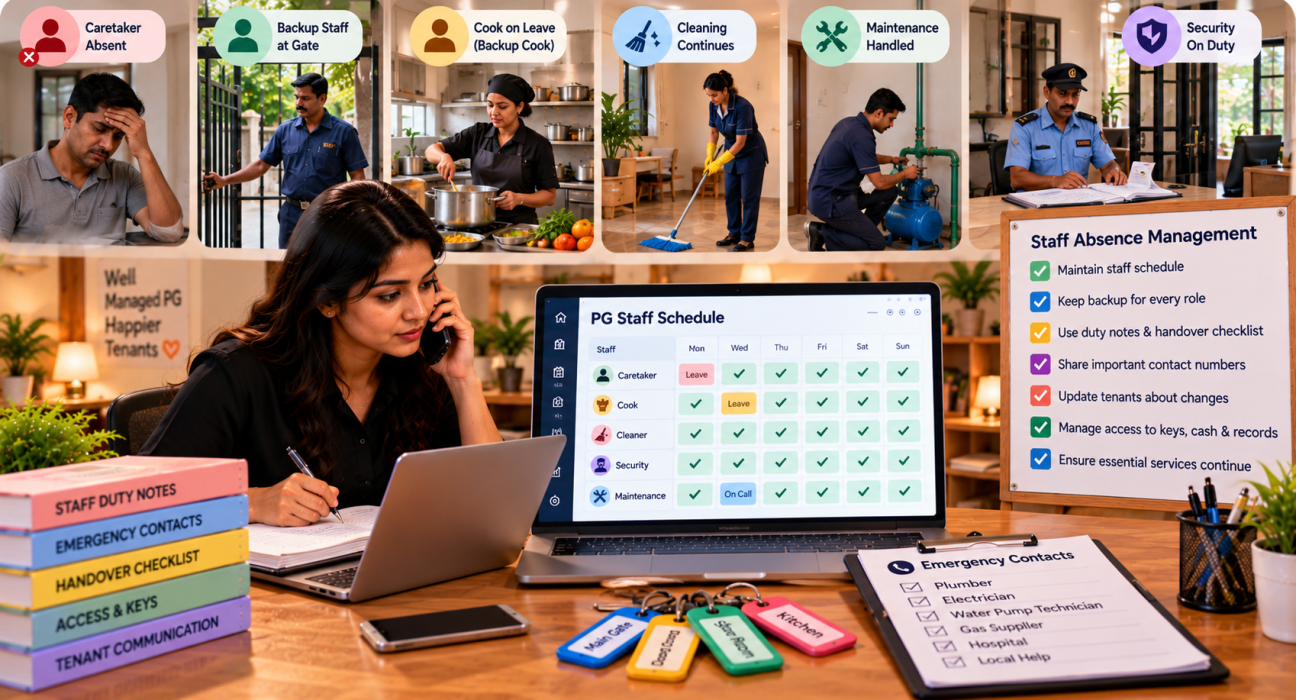
The caretaker calls at 6 a.m. to say he’s unwell. The cook is already on leave this week. The cleaner left yesterday without notice. You’re two hours away, and a tenant has just messaged to say the water pump isn’t working and a guest is waiting at the gate.
Most PGs run on a small team, sometimes only two or three people. That makes every absence a real problem, because nobody else knows how the job is done, where the keys are or who to call. Good PG staff absence management means planning for this before it happens, so a missing person is an inconvenience, not a crisis. This guide shows how, with a coverage chart, a handover checklist and a few rules that keep things steady. If you use PG and hostel management software, shared records and manager logins help cover gaps without handing out your own phone.
The Short Answer
To manage PG operations during staff absences, list every daily task and who does it, write short duty notes for each role, train at least one backup per task, set clear leave and notice rules, use a handover checklist, control access to cash and records during cover and tell tenants early about any change. Review what went wrong after each absence.
Why Staff Absences Hit PGs Hard
Large hotels have teams. A typical PG has a handful of people, each doing three jobs. That creates a few risks:
- Single points of failure. Only one person knows the water pump routine, the cook’s supplier or where the spare keys are.
- Tenant-facing gaps. Someone has to open the gate, answer visitors and take complaints.
- Service slips. Cleaning is skipped, meals are late and repairs wait.
- Money and records get messy. Cash is handed over loosely and entries are forgotten.
- The owner becomes the backup. You end up doing everything, every time.
- Small issues grow. A skipped inspection means a leak noticed late.
None of this means your staff are unreliable. Illness, family events and sudden exits happen to everyone. The fix is a system that doesn’t depend on one person.
Step 1: Map Who Does What
You can’t cover a gap you can’t see. Start with a plain list of every recurring task and who owns it.
A simple coverage chart
| Task | Primary person | Backup | Can the owner do it? |
|---|---|---|---|
| Gate and visitor register | Caretaker | Manager | Yes, for a short time |
| Cooking and kitchen | Cook | Helper | Partly |
| Daily cleaning | Cleaner | Caretaker | Yes |
| Water pump and tank | Caretaker | None | Needs training |
| Complaint handling | Manager | Caretaker | Yes |
| Rent collection and records | Manager | Owner | Yes |
| Night security | Night watchman | None | No |
(This is an example. Build yours from your own PG.)
Any row where the backup says “None” is a risk. Those are the tasks to fix first.
Add a column for how often each task happens: daily, weekly or occasional. Daily tasks need the quickest cover.
Step 2: Write Short Duty Notes for Every Role
Most knowledge in a PG lives in someone’s head. Write it down, even roughly. One page per role is plenty.
What to include:
- Daily and weekly tasks, with timings
- Where keys, tools, spares and records are kept
- How to run key equipment, such as the pump, geyser, inverter and CCTV
- Who to call for each type of problem
- Rules for visitors, cash and complaints
- What to do in emergencies, such as fire, medical trouble or power failure
Keep it simple. A note that says “Pump on at 6 a.m. and 6 p.m., switch is in the back store, call [name] if it doesn’t start” is more useful than a long manual.
If a task needs a photo, such as the fuse box or the water valve, add one.
Step 3: Cross-Train at Least One Backup
A written note helps, but a person who has done the task once is better. Pick a backup for each critical duty and have them shadow it.
- Rotate small tasks so more than one person knows them.
- Pair people for a day when things are calm, not during an emergency.
- Ask the backup to do it once on their own while the primary person is available to answer questions.
- Keep the backup list updated when someone joins or leaves.
If you can’t spare a backup, consider a trusted outside person for the toughest gaps, such as a relative, a former employee or a vendor you already know. Agree the terms in advance, not in the middle of a crisis.
Step 4: Plan Differently for Planned and Sudden Absences
Not every absence is equal. A planned leave can be managed well. A sudden one needs a ready plan.
| Type | Examples | What to do |
|---|---|---|
| Planned leave | Festival, wedding, medical appointment | Get notice, arrange cover, brief the backup and update tenants |
| Short sudden absence | Illness, family emergency | Call the backup, check the duty note and adjust priorities for the day |
| Long absence | Extended illness, family matters | Arrange temporary cover, review workload and keep communication open |
| Sudden exit | Someone quits without notice | Cover critical tasks first, change keys and access if needed and begin hiring |
For sudden gaps, a rule of thumb helps: safety and security first, water and power second, food third, everything else after that. If you can only do three things today, do those.
Step 5: Set Clear Leave and Notice Rules
Unclear rules cause most of the friction. Decide what you expect and write it in plain language.
- How to ask for leave, and how far in advance
- How to report a sudden absence, and by what time, such as a call to the owner by 7 a.m.
- Who approves leave and who is informed
- Who covers when someone is away
- What happens with repeated unannounced absences
- Notice period for resignation
Discuss the rules when someone joins, and keep a written copy. Be fair and consistent. Check local labour rules and your employment terms before setting policies on leave, notice and pay, since requirements vary.
If you have only one or two staff, the same principle applies on a smaller scale. A simple conversation and a short message confirming the arrangement is enough.
Step 6: Use a Handover Checklist
Whenever someone leaves for a day, a week or for good, a short handover saves hours of confusion.
A handover checklist
- Open tasks: What’s pending, and what needs doing today?
- Complaints: Which tenant issues are open, and what’s been tried?
- Visitors and guests: Anyone expected today?
- Keys and access: Who holds what, and where are the spares?
- Cash and receipts: What’s been collected and not yet recorded?
- Supplies: What’s running low?
- Equipment: Anything not working, or needing special care?
- Vendors: Pending visits or deliveries?
- Contacts: How to reach the person if needed.
Get the handover in writing or in a message, so there’s a record. A two-minute voice note plus a short list is often enough.
Step 7: Control Access, Cash and Records During Cover
Absences are when mistakes and misunderstandings happen, especially with money and keys. A few habits help.
Cash and payments
- Record every payment immediately, against the tenant, not at the end of the day.
- Don’t let one person hold unrecorded cash across a handover.
- Count and note cash at handover, with both people present when possible.
- Encourage UPI where tenants are comfortable, since it leaves a trace.
Keys and access
- Keep a key register showing who holds which keys.
- Don’t share one person’s login or password with the person covering.
- Change locks or codes if someone leaves suddenly and held master keys.
Records and software
PGCRM supports role-based manager logins, so managers, reception and maintenance staff can have their own access with limited permissions, which means a cover person can do their job without using someone else’s login or seeing everything. Rent and payments are saved against each tenant, with cash and UPI recorded, and you can check pending rent, complaints and occupancy from the mobile app on Android and iOS or on the web. Check the records yourself even when you’re away.
PGCRM doesn’t list staff attendance, leave or shift scheduling, so keep a simple roster and leave calendar in a sheet or notebook.
Step 8: Keep Tenants Informed
Tenants understand absences. What frustrates them is silence.
- Tell them early when you know about a change, such as a different person at the gate or a change in meal timing.
- Give a contact number for the cover person, and for you.
- Say what might be affected, such as slower complaint response for a day or two.
- Thank them for patience, and follow up after the gap.
A short message in your tenant group usually does the job: “Ramesh is on leave until Friday. Suresh will handle the gate and complaints. For anything urgent, call [number].”
Keep logging complaints during the absence. PGCRM lets you log complaints, set priority and close them with a clear status trail, so requests don’t vanish while someone is away. Check the open list daily until things return to normal.
Step 9: Have Emergency Contacts and Vendor Backups Ready
Some gaps need outside help. Prepare a short contact list before you need it.
- Plumber, electrician and carpenter who can come quickly
- A reliable cleaning or housekeeping person for emergencies
- A cook or tiffin option, if the kitchen is stuck
- A trusted neighbour, relative or former employee who can step in for a day
- Local emergency numbers and the nearest medical help
- Your own number, answered or forwarded to someone
Keep the list on paper at the PG and shared with your manager. A list on one phone isn’t much use if that phone is switched off.
Step 10: Review After Every Absence
After each absence, take ten minutes to see what worked and what didn’t. This turns every gap into an improvement.
- What got missed? Which tasks slipped, and why?
- What confused? Was a note missing or a key unavailable?
- Did tenants notice? What did they say?
- Was the backup ready? Did they need more training?
- What one change would make next time easier?
Update your duty notes and coverage chart straight away while it’s fresh. Over time, your PG becomes less dependent on any single person.
Common Mistakes in PG Staff Absence Management
- Knowledge held by one person. If only they know how it works, you have a risk.
- No backup for critical tasks. Water, security and the gate are the usual gaps.
- Sharing logins to cover gaps. It blurs responsibility and creates risk.
- Letting cash float unrecorded. Missing money causes mistrust.
- Not telling tenants. Silence feels like neglect.
- Vague leave rules. Everyone assumes something different.
- Assuming the owner will cover. It’s not sustainable.
- Skipping the review. The same gap appears again next month.
- Waiting for a crisis to build a contact list. By then, it’s too late.
FAQ
How do I manage my PG when a staff member is absent?
Check your coverage chart, call the backup, prioritise safety, water and power first, and tell tenants about any change. Use the duty note and a quick handover to brief the cover person. Keep logging complaints and recording payments so nothing is lost.
What should a PG staff handover include?
Open tasks, pending complaints, expected visitors, keys and access, cash and receipts, low supplies, equipment issues, vendor visits and contact details. Keep it short and written, even if it’s just a message, so there’s a record of what was passed on.
How do I reduce dependence on one staff member in a PG?
Write short duty notes for every role, cross-train at least one backup for each critical task, keep a shared contact list and use shared records instead of private notes. Review after each absence and update the plan.
Should I give a cover person my login or password?
It’s better not to. Sharing credentials blurs who did what and creates security risks. Give each person their own limited access instead. PGCRM supports role-based manager logins so staff can see what they need without seeing everything.
How do I handle a staff member who quits without notice?
Cover critical tasks first, such as security, water and the gate, then arrange keys and access changes if needed and begin hiring. Use your duty notes to brief the temporary person. Check your employment terms and local labour rules for the right approach.
Can software help during staff absences?
It can help with continuity. PGCRM keeps rent, tenant records, complaints and expenses in one place, supports role-based manager logins and works on Android, iOS and web. It doesn’t list staff attendance or scheduling, so keep your roster and leave calendar separately.
Conclusion
Good PG staff absence management isn’t about expecting nobody to be absent. It’s about making sure that when someone is, the PG keeps running. Map who does what, write short duty notes, cross-train backups, set clear leave rules, use a handover checklist, control access and cash, keep tenants informed and review after each gap.
Shared, up-to-date records make cover much easier. If you want rent, tenant details, complaints, and manager logins in one place, explore PGCRM to simplify PG and hostel management.